How to Choose a Music Collaboration Platform (For How You Actually Make Music)
You're looking for a music collaboration platform. You've Googled it. You've found listicles with ten options, comparison tables with checks and crosses, and a Reddit thread where someone swears by a tool you've never heard of. None of it helps because none of it starts with the question that actually matters: how do you make music?
A guitarist who records stems and sends them to a mixer needs something different from a label A&R tracking 30 demos. A band writing an album across three time zones has different needs from a producer hiring session musicians for one track. The right tool depends on your workflow — not on a feature comparison table.
This guide walks through five common collaboration scenarios, what tools actually matter for each, and how to avoid paying for features you'll never use.
The five ways musicians collaborate online
1. File sharing: "I need to send stems to my mixer"
You've recorded your parts. You bounce them as WAV stems. You need to get them to someone who will mix, master, or add their own parts.
What you actually need: fast upload, lossless download, clear file organization. That's it. You don't need version history or workflow tracking for this — you need WeTransfer that doesn't expire.
Tools that do this well: WeTransfer (for one-offs), Dropbox (for ongoing projects), SoundisiaK (if you also want streaming preview before download).
The trap: paying for a full collaboration platform when all you do is send files back and forth. If you're not leaving timestamped feedback or tracking versions, you're overpaying.
2. Feedback loops: "Listen to this and tell me what to fix"
You've sent a mix. Your collaborator listens. They need to tell you "the vocal at 1:12 is buried" — and you need to know exactly what they mean.
What you actually need: streaming playback (no download required), timestamped comments, the ability to compare versions. The tool that does this poorly turns a 30-second feedback round into a 30-minute email chain.
The quality gap between tools here is enormous. Some platforms stream lossless FLAC instantly. Others make you download a zip, open your DAW, and take notes in a separate app. The difference in friction determines whether your collaborator actually listens or says "I'll get to it later" and never does.
How to test this: send a track to yourself on any platform you're evaluating. Open the link. How many clicks before you hear music? If the answer is more than one, your collaborators will use it once and never again.
3. Co-creation: "We're building this track together"
This is the hardest collaboration scenario. Multiple people are contributing to the same project — adding parts, tweaking the arrangement, building on each other's work. The file naming chaos alone can kill a project.
What you actually need: version control (every export numbered, previous versions never overwritten), clear ownership of who's working on what, and the ability to A/B compare mixes without opening a DAW.
What breaks without it: your guitarist uploads "guitar_v3_final.wav." Your producer uploads "guitar_v3_final_FIXED.wav." You have no idea which is current. You spend 20 minutes figuring it out instead of making music.
Tool comparison for co-creation:
The gap is real: file-sharing tools cover the basics. General platforms add partial support. Music-specific platforms handle the full workflow. If you're co-creating across distances, don't compromise on version control — it's the difference between shipping a track and losing takes.
4. Pipeline management: "What stage are we at and who's working on what?"
This is the label and band manager's problem. You have multiple tracks, multiple collaborators, multiple stages — and no single source of truth for where anything stands.
What you actually need: a visual status for every track (Concept → Writing → Recording → Paused → Ready for Mix → Completed), per-track permissions so the vocalist only sees their tracks, and an activity feed that answers "who did what and when" without a WhatsApp chain.
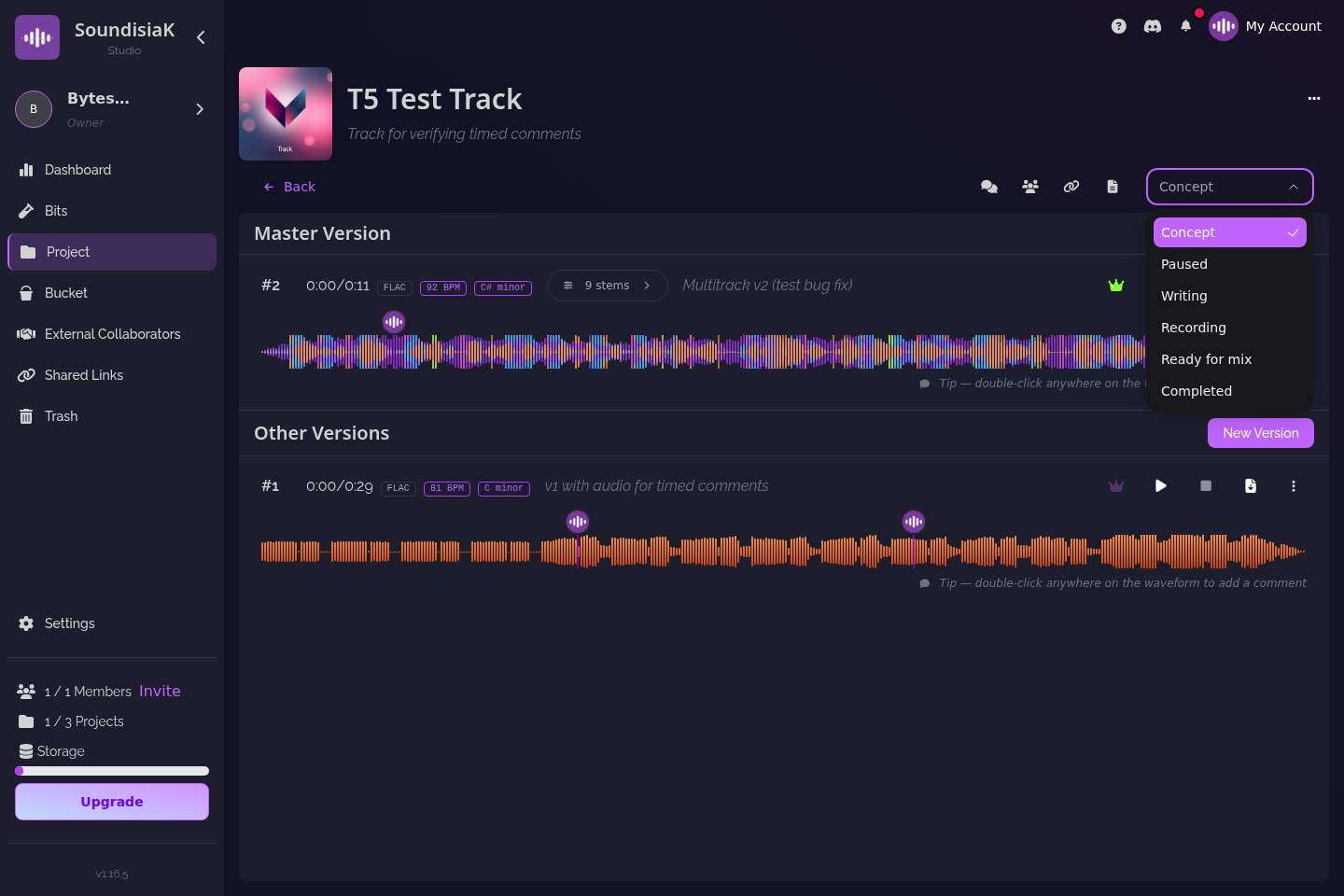
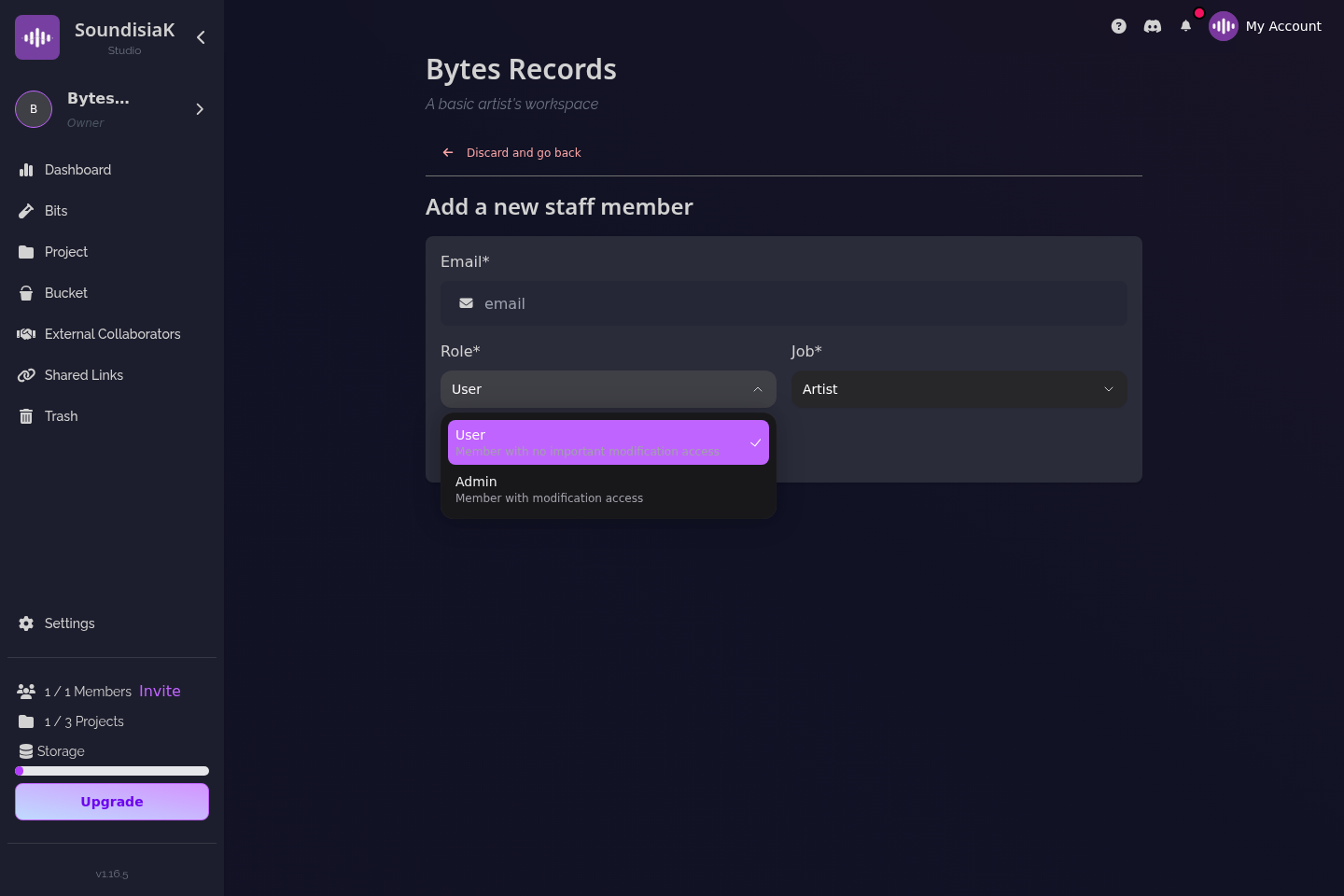
If you're running a label, you also need to separate external collaborators from internal team members. The featured artist on track 3 should not see track 7's rough demo. The mixing engineer should see tracks in Mix stage, not the entire catalog. General-purpose tools don't handle this — they give you folder-level sharing and call it access control.
5. Secure sharing: "I need to send this to a label without leaking it"
You need to share unreleased music with people who aren't in your workspace. Labels, managers, playlist curators, potential collaborators. You want them to hear it. You don't want them to download it, re-share it, or keep it after the link expires.
What you actually need: shareable links with expiration dates, view tracking (so you know if they actually listened), and the ability to revoke access instantly. WeTransfer gives you 7 days and hope. Proper sharing tools give you control.
How labels handle this today: they use a mix of private SoundCloud links, Dropbox folders with password protection, and email attachments. None of these tell them whether the A&R person actually opened the file. A dedicated sharing tool with analytics closes this loop.
How to make the decision in 15 minutes
Forget feature comparison tables. You won't use 80% of the features on any platform. Instead, answer three questions about your actual workflow:
1. How many people touch a track before it's done?
If the answer is "just me" → you need file sharing, not a platform.
If "2-3 people every track" → you need feedback and version control.
If "5+ across different roles" → you need pipeline management and permissions.
2. What's your biggest friction point right now?
"WeTransfer links expire before people listen" → fix sharing first.
"I can't find the latest version" → fix version control first.
"I don't know what my collaborators are working on" → fix pipeline visibility first.
3. Who needs access to what?
"Everyone sees everything" → you need per-track permissions.
"Just me and my mixer" → you don't need complex access controls.
"Artists, producers, label, external featured artists" → you need a platform built for this.
Pick the tool that solves your biggest friction point first. You can add more later. The goal isn't the tool with the most features — it's the tool that removes the thing slowing you down right now.
Where SoundisiaK fits
SoundisiaK was built for scenarios 2 through 5. It handles feedback loops (lossless streaming, timestamped waveform comments), co-creation (version control, A/B comparison, DAW project sharing), pipeline management (five-stage tracking per track, per-track roles), and secure sharing (links with expiration and analytics).
It doesn't try to be your DAW or your messenger. It handles the space between — the versions, the feedback, the progress, the permissions. If that's where your friction is, start a free workspace and see if it fits.
If all you need is file sharing, WeTransfer and Dropbox are fine. Don't pay for features you won't use. But if your pain is the collaboration itself — the back-and-forth, the lost versions, the "which file did you mean" — that's what a platform solves.
Not sure which tool fits your workflow? Try SoundisiaK free — version control, streaming, and per-track collaboration for every kind of music team.