Stems vs Multitracks: What to Send
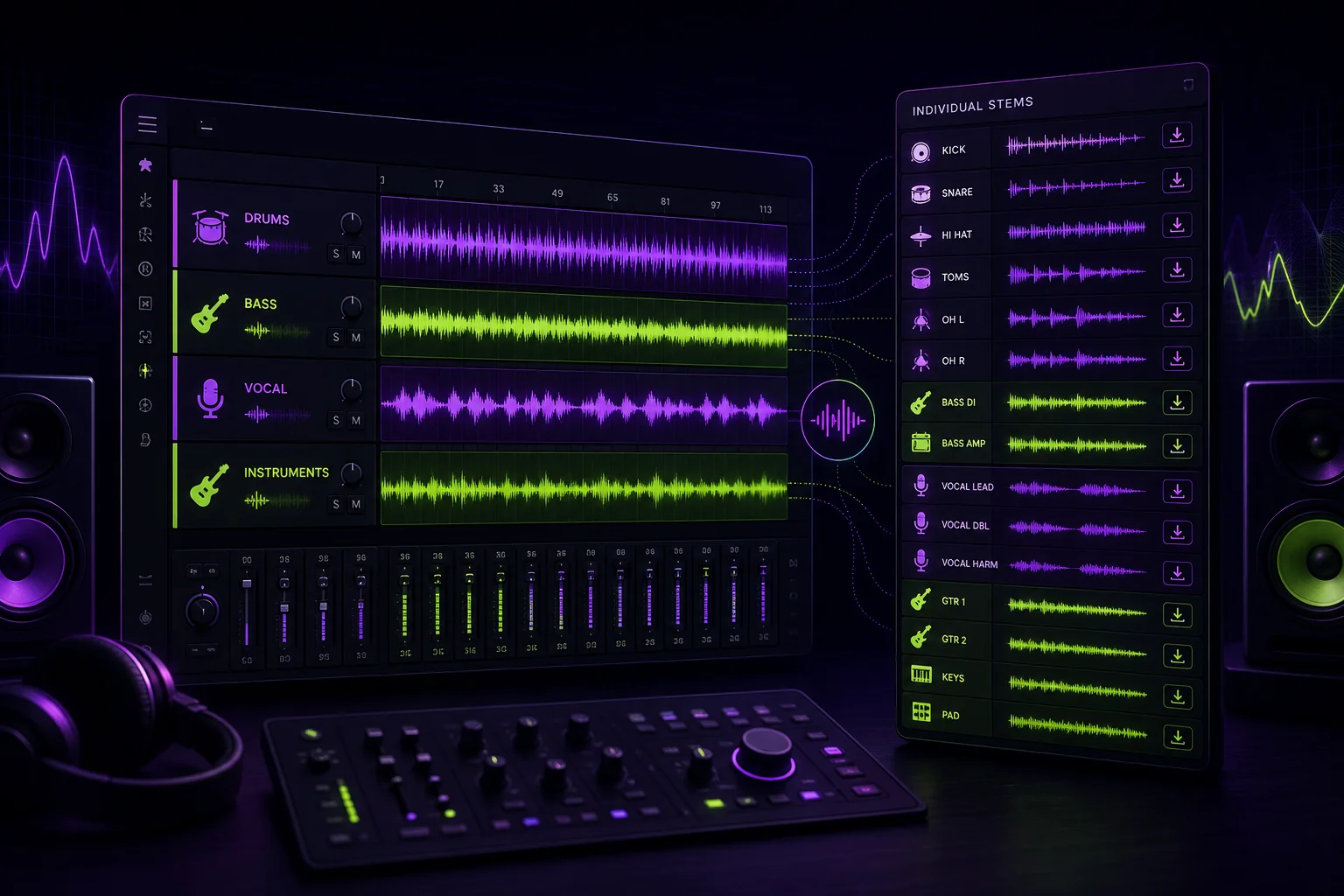
If someone asks you for stems, do they want grouped instrument files or every recorded track? Those are different deliveries. Send the wrong one and your collaborator may lack the control needed to finish the job.
The practical rule is simple: send stems for broad control over groups. Send multitracks when someone needs access to individual performances. Here is exactly what that means for a vocal revision, remix, or complete mix.
Stems vs multitracks: the practical difference
A stem is a group of related tracks that has already been mixed together and exported as one audio file. A drum stem, for example, could combine the kick, snare, and overhead microphones into one stereo drum file.
A stem can be mono, stereo, or multichannel. It can also include processing. Your vocal stem might contain the vocal balance, EQ, compression, automation, and effects you already chose.
Multitracks are the separate audio tracks used to build the mix. They are generally raw or unprocessed. Each distinct element can have its own mono or stereo file.
For a vocal production, that might mean separate files for:
- Lead vocal
- Lead double
- Left harmony
- Right harmony
- Ad-libs
- Vocal reverb
- Vocal delay
The term multitrack can also refer to the complete DAW session containing those individual elements. That distinction matters when you work across Logic, Ableton, Pro Tools, FL Studio, or another DAW. An audio-file delivery is easier to open anywhere. A session can preserve routing and editing, but only if the recipient can load it correctly.
According to iZotope’s explanation of stems and multitracks, multitracks are intended for the mix engineer, while stems are pre-mixed subgroups.
In short:
- Stem: several related tracks combined into one file.
- Multitrack: each recorded or programmed element remains separate.
- DAW session: the project containing those individual elements, edits, and routing.
One vocal-led song example: what each delivery contains
Consider a fictional song called “Neon Room.” The arrangement centers on a lead vocal. It also contains vocal doubles, harmonies, ad-libs, drums, bass, synths, and effects.
The multitrack delivery keeps the elements separate:
NeonRoom_LeadVox_Dry.wav
NeonRoom_LeadDouble_Dry.wav
NeonRoom_Harmony_L_Dry.wav
NeonRoom_Harmony_R_Dry.wav
NeonRoom_AdLibs_Dry.wav
NeonRoom_Kick.wav
NeonRoom_Snare.wav
NeonRoom_DrumOverheads.wav
NeonRoom_Bass.wav
NeonRoom_SynthPad.wav
NeonRoom_SynthLead.wav
NeonRoom_VocalReverb.wav
NeonRoom_VocalDelay.wav
This gives a mixer direct control over each vocal layer, drum element, instrument, and effect.
The stem delivery groups those same elements:
NeonRoom_VocalStem.wav
NeonRoom_DrumStem.wav
NeonRoom_BassStem.wav
NeonRoom_MusicStem.wav
NeonRoom_FXStem.wav
The vocal stem contains the lead, double, harmonies, and ad-libs at their existing balance. The drum stem contains the mixed drum elements. The music stem contains the grouped synth parts.
That drum distinction is a useful test. Kick, snare, and overhead files are multitracks. Route them to one drum bus, mix them, and export that bus as one stereo file. You now have a drum stem.
Neither format is automatically better. The right delivery depends on what the next person must change.
What to send for a vocal revision
A vocal revision needs individual vocal multitracks. One vocal stem usually does not provide enough control.
For “Neon Room,” send this minimum package:
- The current stereo mix as a reference
- The lead vocal as a separate multitrack
- Separate vocal doubles
- Separate harmonies
- Separate ad-libs
- A dry version of each required vocal file
- The existing wet vocal print, if its sound matters
- Clearly labeled reverb and delay returns when available
- Lyrics
- Tempo and key information
- Specific revision notes
Dry means the file does not include effects such as reverb or delay. Wet means the processing has been printed into the audio.
Separate vocal files let the editor adjust comping, tuning, timing, level, and effects without disturbing the other performances. If the harmony is early, they can move the harmony. If one ad-lib is too loud, they can lower it. With one combined vocal stem, those changes may affect the lead vocal too.
Before sending the package, verify the project metadata. The BPM and key preparation workflow explains how to check that information before collaboration begins.
Your revision notes should identify the current version and the requested change. “Fix vocals” is not a useful note. “Tighten the lead phrase before the final chorus and reduce the wet ad-libs” gives the recipient a defined task.
What to send for a remix
A remixer needs files that are easy to align and flexible enough to rearrange.
For “Neon Room,” send:
- A full-length instrumental or current mix reference
- A dry lead vocal
- Separate dry vocal doubles
- Separate dry harmonies
- Separate dry ad-libs
- An optional printed wet vocal
- Separate reverb and delay stems when those effects are part of the identity
- BPM and key information
- The project sample rate
- The shared start point
- A clear note explaining the intended vocal effects
Every export should be aligned to the same starting point. Do not trim the lead vocal to its first word while leaving the instrumental at the beginning of the song. The remixer should be able to place every file at the same timeline position and press play.
Use stems when the remixer needs speed and broad balance control. A Vocal stem, Drum stem, Bass stem, Music stem, and FX stem let them mute sections, change broad balances, or build a new structure without opening the original session.
Use multitracks when the remixer needs to rearrange individual performances or reinterpret the production. Separate harmonies can become a hook. A synth line can be chopped without affecting the pad. The kick can be removed without losing the rest of the drums.
Stems may be printed wet or dry. Reverb and delay can also be exported as separate stems. Label that choice clearly. Nobody enjoys discovering that VocalStem.wav contains a long delay after arranging the entire remix.
What to send for a complete mix
For a complete mix, send the multitracks. The mix engineer needs access to the individual elements used to create the record.
The “Neon Room” package should contain:
- Every vocal layer
- Every drum track
- Bass tracks
- Individual instruments
- Synth parts
- Printed sound-design elements
- Separate effects returns when required
- A stereo reference bounce
- Tempo and key information
- Notes about important processing
- A list of any unavailable vocal or instrument files
You can deliver consolidated audio exports or a complete DAW session. Consolidated files start from a shared point and can be imported into another DAW. A session may preserve edits, routing, automation, and processing, but it also creates compatibility questions.
If you send the project itself, follow a DAW project-sharing process that keeps sessions usable. Include processing notes, especially when a plug-in or routing choice is central to the sound.
If you cannot provide multitracks, send organized stems instead. At minimum, separate the Vocal, Drums, Bass, and Music or Other groups. Give every file matching start and end points.
Stems limit the mixer’s control. They cannot rebalance the kick against the snare if both are locked inside the drum stem. They also cannot change the lead-to-harmony balance when every vocal is printed together. Make sure the engineer agrees to that limitation before you export.
Export and delivery checklist: make files usable
A technically correct file can still create a messy handoff. Use this checklist before uploading anything.
Align every export
All files should:
- Begin at the same timeline position
- Cover the same song length
- Line up when placed at the same start point
- Preserve intentional silence before an element enters
This applies even if a vocal or instrument only appears near the end.
Use names that explain the file
A useful filename identifies the song, element, processing state, and version.
For example:
Avoid names such as:
Use the same version identifier in the files, reference bounce, and notes. A consistent system prevents the traditional studio question: “Which version did you send me?”
For a broader workflow, read the guide to managing multiple versions of your tracks.
Include a folder manifest
Add a short document listing:
- The current version
- Every included file
- Which exports are wet or dry
- Which processing has been printed
- Which files are references only
- Any known missing elements
- The requested next step
The manifest should let your collaborator understand the delivery without reconstructing your intentions from filenames.
Check the stems against the mix
Grouped stems should reproduce the complete mix when summed together. The Vocal, Drums, Bass, Music, and FX files should preserve the balances and processing heard in your reference.
Ideally, matching stems can be checked against the full mix using a polarity-inversion null test. This helps confirm that the stem set represents the intended mix rather than a slightly different export.
Preserve the intended export behavior
If you export at 32-bit float, say so in the manifest: a 32-bit interleaved file opens in most DAWs, but the recipient has to know what they are opening, and whether automation was printed must be stated rather than assumed. Whatever the format, the rule does not change — the manifest tells your collaborator what the files are before they press play.
Finally, include the stereo reference bounce. It tells the recipient what the song sounded like before the handoff. If the next stage is mastering, use the mix delivery checklist for mastering engineers to prepare that package separately.
Conclusion
Send stems when your collaborator needs grouped control. Send multitracks when they need to edit, rearrange, or mix individual elements.
For a vocal revision, prioritize separate vocal files. For a remix, choose stems or multitracks based on how deeply the arrangement may change. For a complete mix, provide every multitrack or a usable consolidated session.
The format matters, but the handoff matters too. Shared start points, clear names, reference audio, and version notes turn a folder of files into a workable music project. A centralized collaboration workspace can keep those files, versions, and comments connected as the song moves from revision to final delivery.