SoundisiaK Studio: the Splice alternative for what Splice stopped doing
People searching for a Splice alternative usually mean one of two very different things. Some want a different royalty-free sample library — that's Splice's core business today, and SoundisiaK is honestly not that. But many remember the other Splice: Splice Studio, the tool that backed up your DAW projects to the cloud, versioned every save and let you collaborate on them — and which Splice retired to focus on sounds. If that's the Splice you're trying to replace, this page is for you.
Which Splice are you replacing?
If you want samples: SoundisiaK Studio has no sample marketplace, and pretending otherwise would waste your time. Splice's sample catalog remains excellent; dedicated sample-subscription services are the honest comparison there.
If you want what Splice Studio did — cloud backup of your projects, version history for your DAW sessions, a place to collaborate on tracks with your team — that product category didn't die with Splice Studio. It's exactly what SoundisiaK Studio is built for, and it goes further than Studio did.
Splice Studio vs SoundisiaK at a glance
| Capability | Splice Studio (retired) | SoundisiaK Studio |
|---|---|---|
| Cloud home for DAW projects | ✅ was | ✅ |
| Version history | ✅ per save | ✅ numbered, labeled, restorable versions |
| Still available | ❌ discontinued | ✅ |
| DAW workfile + stems + bounces together | ➖ project files | ✅ |
| Timestamped feedback on the waveform, per stem | ❌ | ✅ |
| Per-track roles for collaborators | ➖ | ✅ |
| Production statuses (Concept → Completed) | ❌ | ✅ |
| Shareable links with analytics for non-users | ➖ | ✅ |
| Free plan | ✅ was | ✅ |
What made Splice Studio great — and what it was missing
Splice Studio understood something the generic clouds still don't: a music project isn't "a folder of files", it's a living thing with versions, collaborators and a direction. Automatic backup and per-save history made losing work almost impossible.
But it stopped at the files. There was no feedback layer on the audio itself, no roles finer than "in the project", and no view of where a track stood in the production. When it was retired, its users scattered to Dropbox and Google Drive — and lost even the versioning. If that's your current setup, we wrote about why generic cloud storage fails music sessions.
Where SoundisiaK Studio picks up and goes further
1. Version control as the backbone. Every upload of a track is numbered, labeled and restorable, with a main version per track — the discipline of real version control for music, applied to bounces, stems and workfiles alike.
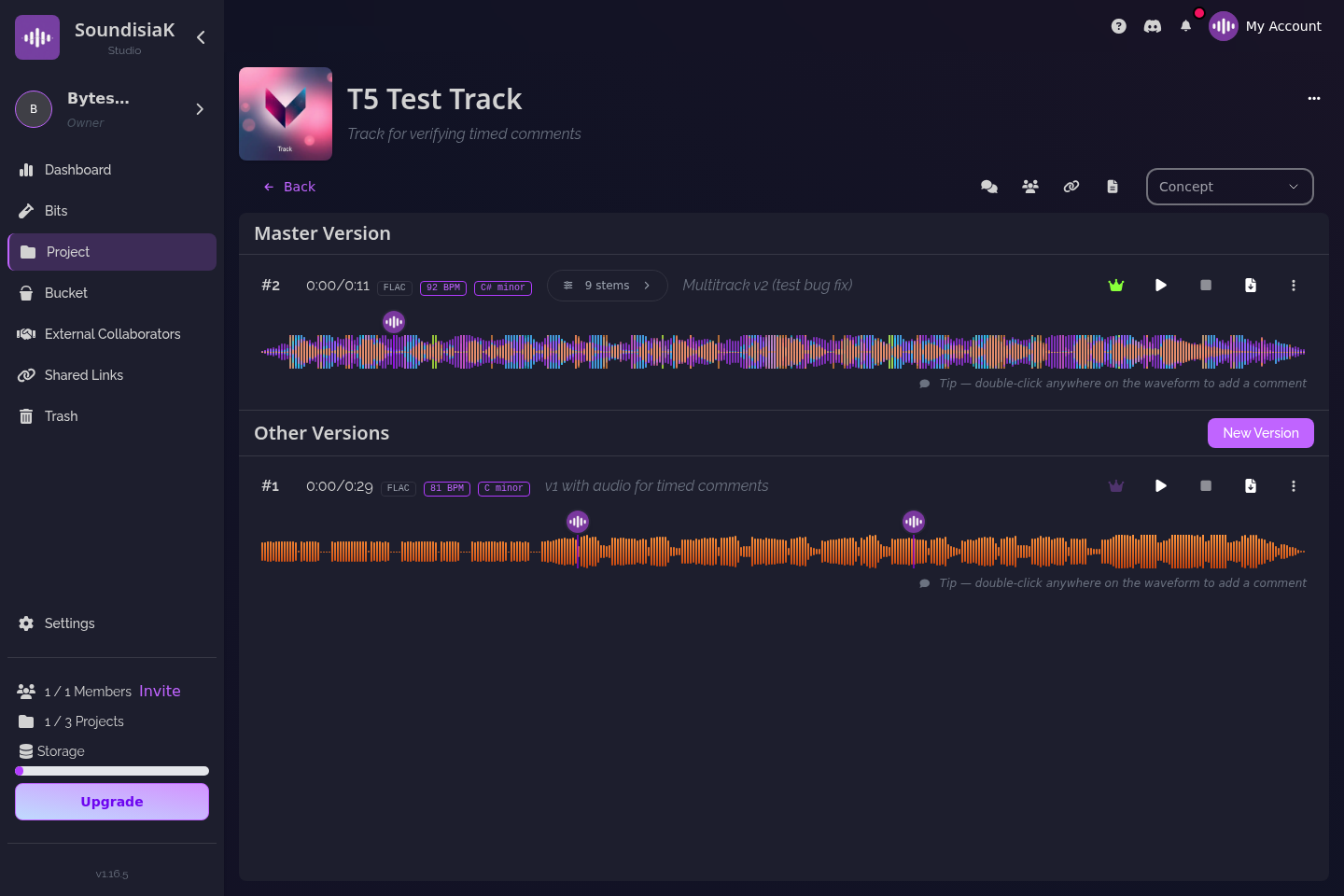
2. Your whole session, not just the project file. Upload the Logic, Ableton, Pro Tools or FL Studio session alongside the stems and bounces — your mixer downloads everything and picks up exactly where you left off. Deciding what to send? See stems vs multitracks.
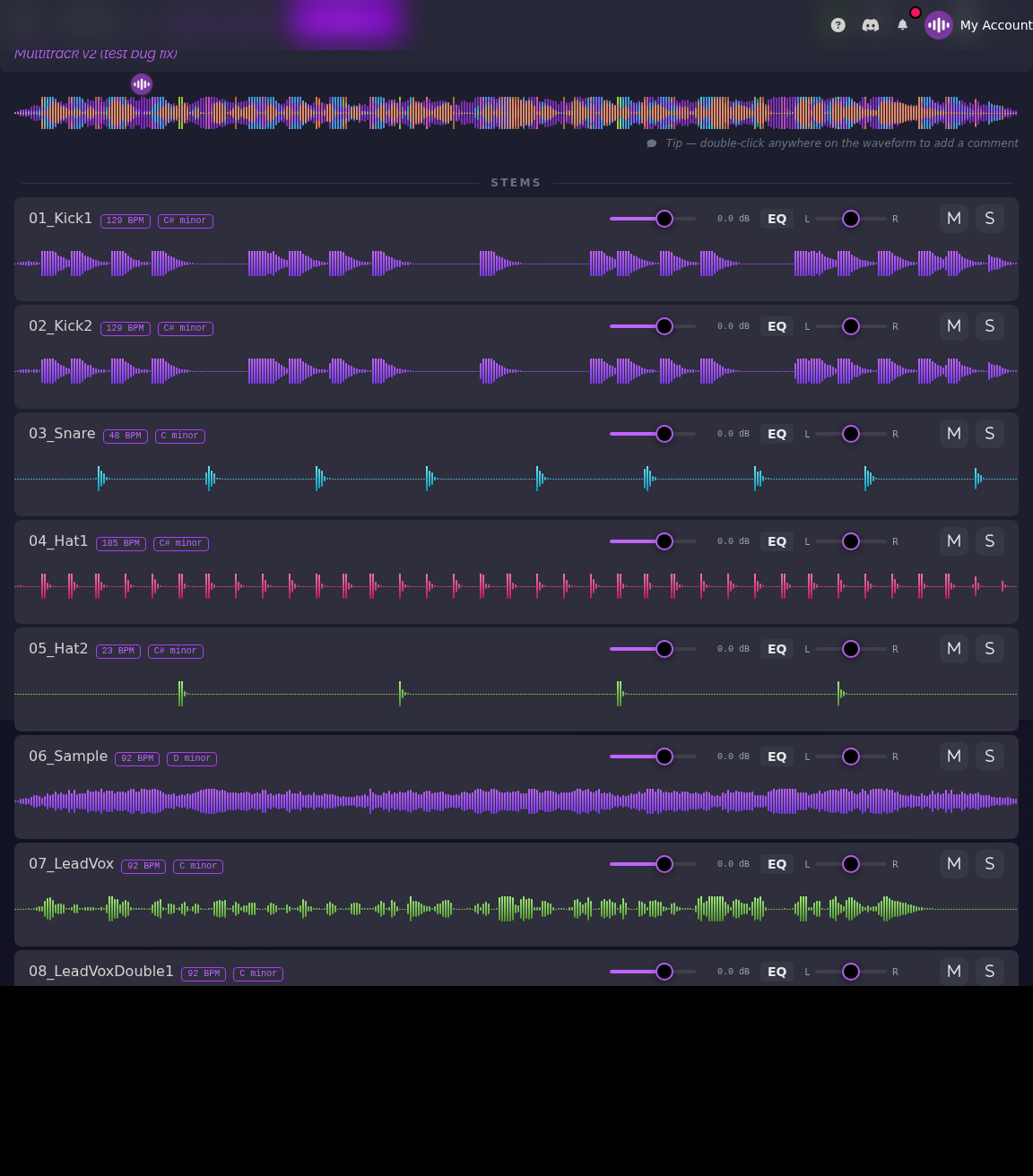
3. Feedback where it belongs: on the waveform. Timestamped comments per stem or per mix turn "fix around 1:12" into "the bass at 1:12" — built for sharing work-in-progress for feedback.

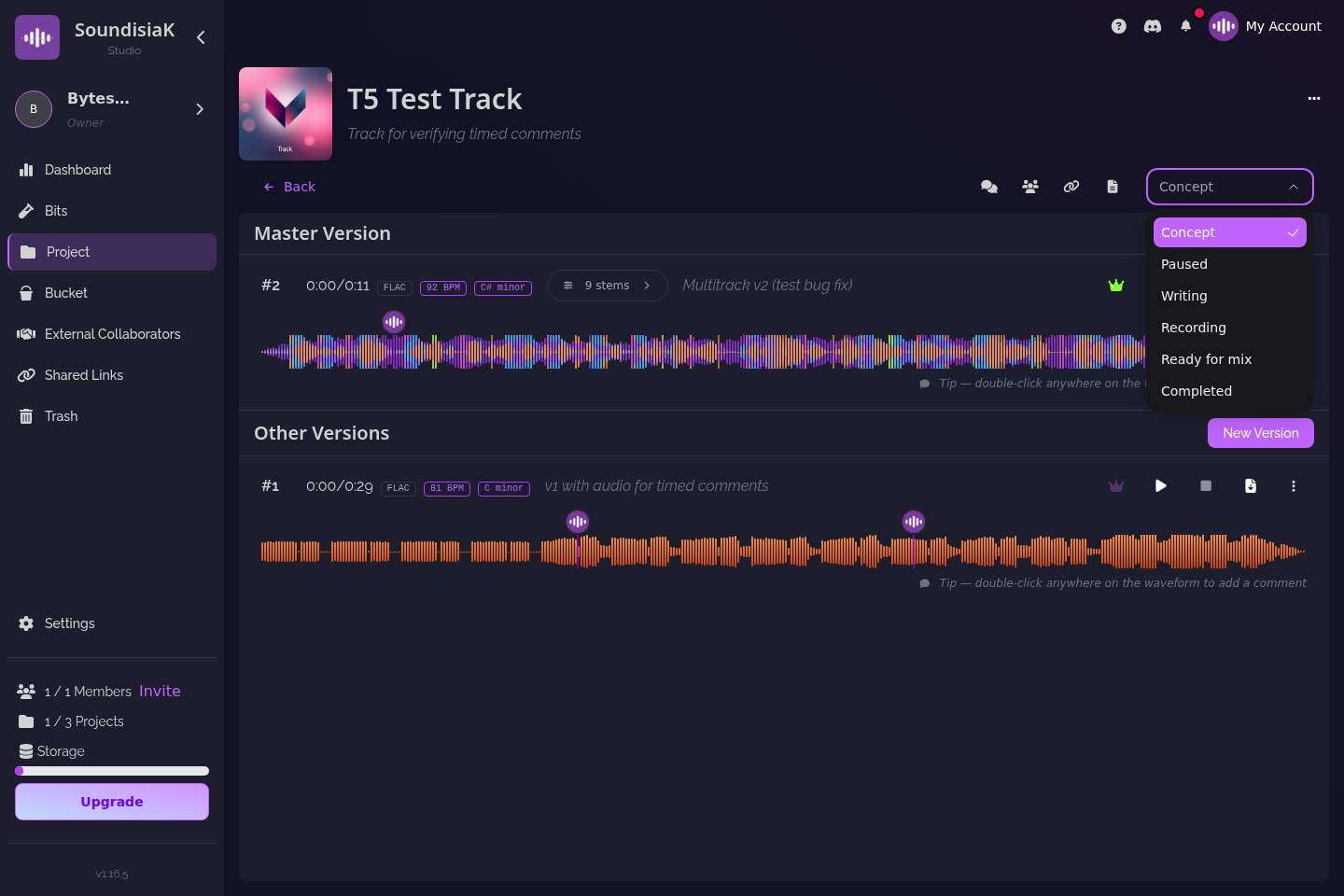
4. A team model, not just sync. Per-track roles let you bring in a featured artist or a mixer on one song without exposing the catalog; production statuses show where every track stands, from Concept to Completed.
Who SoundisiaK Studio is for
- Ex-Splice Studio users still improvising with generic cloud folders.
- Producers and teams who want backup and collaboration — versioning, roles, feedback — in one private place.
- Independent labels that need a pipeline view across artists and tracks.
Comparing the whole category? Start with the best music collaboration platforms and how to choose one.
FAQ
Is SoundisiaK Studio a sample library like Splice? No. SoundisiaK has no sample marketplace. It replaces the other side of Splice — what Splice Studio did: a cloud home for your projects with version control, plus collaboration features Studio never had.
What happened to Splice Studio? Splice retired its Studio product to focus on its sounds catalog. Projects, backup and versioning stopped being part of Splice's offering — which is why so many searches for a Splice alternative are really searches for a Studio replacement.
Can I bring my old projects into SoundisiaK Studio? Yes. Upload your stems, bounces and DAW session files into a SoundisiaK project, invite your collaborators, and versioning starts from your first upload.
How much does SoundisiaK Studio cost? The Free plan costs nothing, forever (10 GB of encrypted storage, one member, unlimited projects, tracks and versions, no credit card). Crew is $12 per workspace per month (100 GB, 5 members) and Studio is $39 per workspace per month (500 GB, 10 members); Label is custom pricing for larger teams.
Your projects deserve better than a synced folder. Start free on SoundisiaK Studio →