How Labels Can Benefit from Project Management Tools
Most labels already run on a project management tool — a Trello board, a Notion workspace, a shared drive with a folder per artist. And most of them still answer the same question by email several times a week: which mix did we approve? The board tracks tasks; the drive holds files; neither of them understands that a track has versions, that an approval applies to one of them, or that the mixer should not see the rest of the roster. This article is about that gap, and what a tool built around the music itself adds to the tools you keep.
What a general-purpose tool cannot know
A task board does not know what a mix sounds like. A drive does not know which of six WAV files is the one A&R signed off. Both of them give everyone in the folder everything in the folder. So the real work — hearing the mix, recording the decision, scoping who sees what — happens in email, and the email is where it gets lost.
Four things a label needs that a generic tool cannot provide:
- One current version per track, chosen on purpose. Not "the latest file", the one the label approved.
- Access per artist and per track. The producer on one single must not browse the other artists' unreleased work.
- Listening that is good enough to decide on. A lossless stream, with the stems if the question is about the balance, not a compressed preview.
- The release as the unit, with the people on it: credits, roles, splits, exportable when the distributor asks.
One approved mix per track
In SoundisiaK Studio every upload to a track is a numbered, dated version with a description, and exactly one version is flagged main. For a label that flag is the approval: A&R listens to v5 and v6, comments at the timestamps that matter, and moves the main flag to the one that goes out. The decision is visible to the artist, the producer and the manager without anyone writing an email, and v5 stays in the history if the decision is revisited.
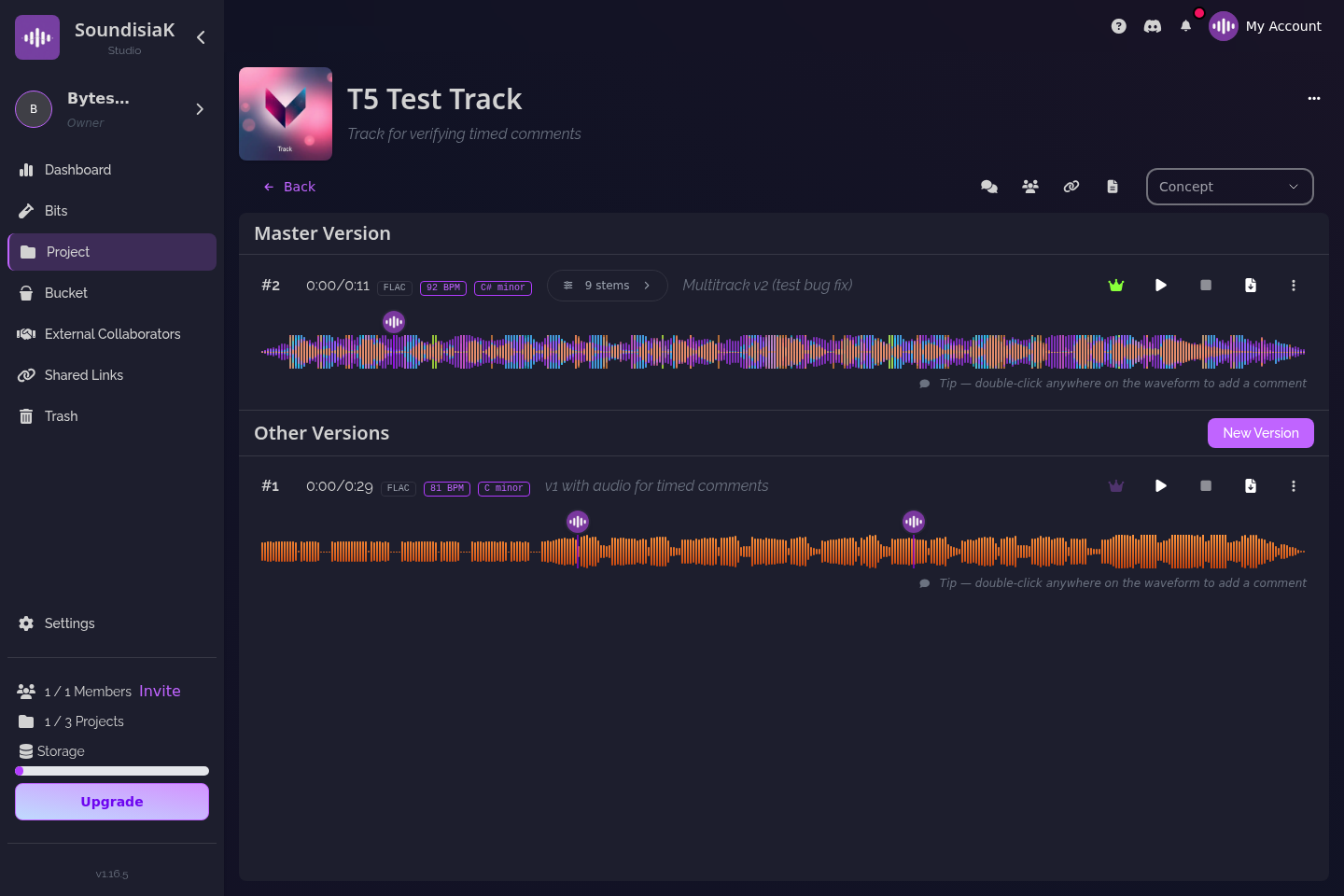
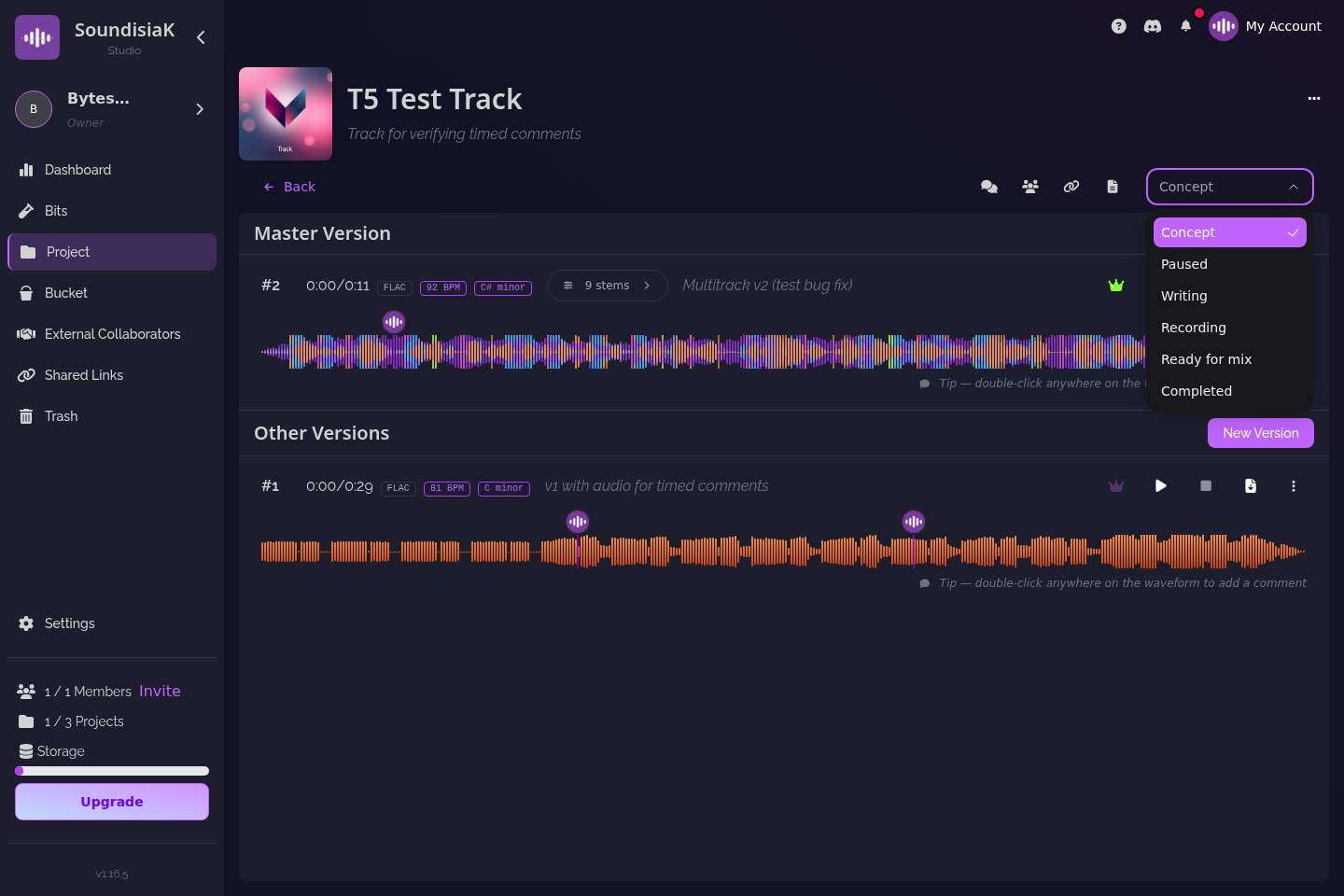
The track's status — Concept, Writing, Recording, Paused, Ready for Mix, Completed — gives the roster view a task board was approximating: where each track of each release stands, read directly from the work rather than from a card someone remembered to move. The activity feed shows what happened since you last looked.
Access by role, by artist, by track
A label's people are not all the same kind of people, and the access model should say so:
- Workspace members — your staff, with roles (Owner, Admin, User) and jobs (Artist, Producer, Manager, Staff). A workspace can be one artist's, or a group's.
- Collaborators — the outside producer, the mixer, the featured artist — invited to a single track. They see that track, its versions and comments, and nothing else. Collaborators are unlimited and free on every plan.
- Guest artists — credited on the release, no account access at all.
- Anyone with a shareable link — a manager, a sync supervisor, a journalist — who listens without an account, with a password and an expiry if you want them, and never receives a file unless you allow downloads.
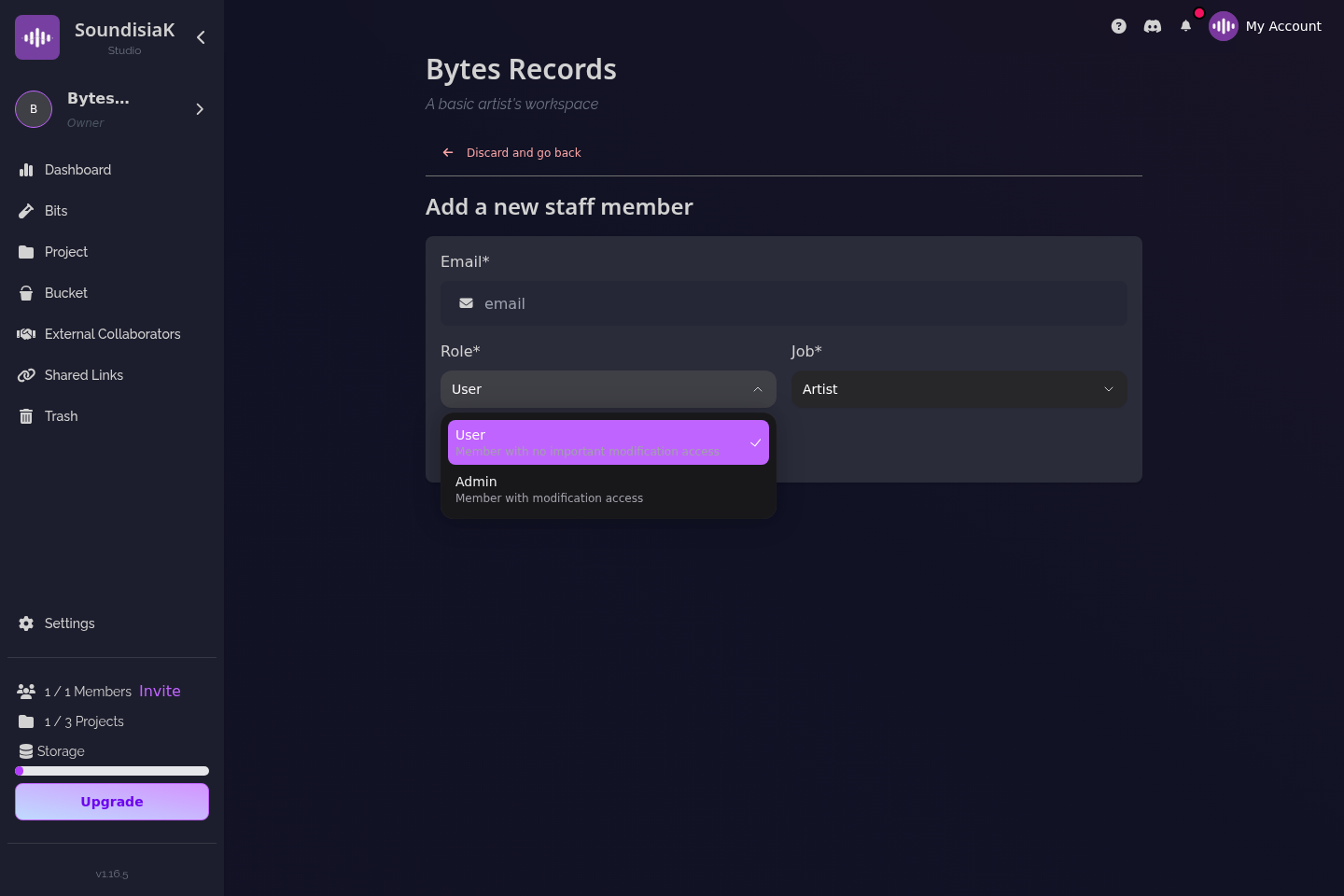
For a label this is the difference between "we shared the folder with the mixer" and "the mixer has the one track he is mixing". Why secure file sharing is essential for musicians walks through the four questions behind that model.
Listening you can decide on
An approval is only as good as the listen it was based on. SoundisiaK Studio streams lossless FLAC/WAV in the browser; a version can hold up to 16 stems, each with its own gain, EQ and balance for the listener, plus a one-click Smart Mix; key and BPM are detected for every stem and mix. A&R can solo the vocal before approving it, and the comment "the lead is buried from 1:40" lands at 1:40 of that version, on that channel, where the mixer will find it — sharing work-in-progress music for feedback describes the loop.
The release, with its people on it
In SoundisiaK Studio a project is a release — typed Album, EP, Single, Mixtape or Other — with a cover, metadata, and the party cards of everyone involved: credits, roles and splits, exportable as a printable sheet or XML when the distributor or the collecting society asks. The track versions, the sessions, the approvals and the paperwork of a release live in one place, scoped to the people who should see them.
Billing follows the same logic: per workspace, not per seat. Crew ($12 a month) covers five members and Studio ($39) covers ten, with 100 GB and 500 GB of storage respectively; an extra member is $6. The Label plan is custom — unlimited workspaces, custom storage, a dedicated account manager — and the people you invite on single tracks never count.
What SoundisiaK Studio is not — and what it sits next to
It is not a catalog manager. Bridge.audio, DISCO and Reprtoir manage catalogs, sync pitching and royalties; they are built for the label's commercial life, after the master exists. SoundisiaK Studio is built for the creative life before it — versions, sessions, approvals, who hears what — and many labels will run one of each. Our comparison pages lay out the overlap honestly: Bridge.audio, DISCO, Reprtoir, and the three side by side.
It is also not a distributor, not a marketplace and not a social network. Your task board can stay; what moves out of it is everything that depends on hearing the music.
A label week, with the gap closed
Say a two-artist label has a single going to mix and an EP in recording. The mixer, a collaborator on the single's one track, downloads v4's stems and the Logic session, and uploads v5. A&R listens losslessly, solos the vocal, comments at two timestamps, and keeps v4 as main for now. The next day v6 arrives; A&R moves the main flag, the status goes to Completed, and a listen-only link with a two-week expiry goes to the manager and the sync agent. Across the hall, the EP's four tracks sit in Recording; the activity feed shows the producer uploaded new comps on two of them overnight, each with a description. Nobody asked "which one is the real one" all week. If the sync agent's link shows thirty plays by Thursday, you know it travelled, and you decide whether that is fine.
FAQ
Do we need SoundisiaK Studio if we already use a task board and a shared drive? Keep them for tasks and documents. What they cannot do is tell you which mix was approved, let the mixer see one track and nothing else, or let A&R solo the vocal before deciding. That is what SoundisiaK Studio adds.
Can a producer or mixer see our other artists' work? No. A collaborator is invited to a single track and sees only that track. Workspace members see what their role allows; guest artists are credited without any access.
How does billing work for a label with several artists? Per workspace, never per seat. Crew covers five members for $12 a month, Studio ten for $39, an extra member is $6; collaborators on single tracks are unlimited and free. The Label plan is custom, with unlimited workspaces and a dedicated account manager.
Does SoundisiaK Studio replace Bridge.audio, DISCO or Reprtoir? No — they manage catalogs, pitching and royalties after the master exists; SoundisiaK Studio manages versions, sessions and approvals before it. Many labels will run one of each.
The approved mix, by name. Talk to us about the Label plan → or start free →