Why Secure File Sharing is Essential for Musicians
Most unreleased music does not leak because someone broke in. It leaks because a WeTransfer link got forwarded, a Dropbox folder held the whole album when only one mix was needed, or a "temporary" link from eight months ago still works. Secure file sharing, for a musician, is not antivirus and firewalls. It is four plain questions you should be able to answer for every file you send: who can open it, for how long, what they can do with it, and how you would know.
This article is about those four questions, what the usual tools do with them, and how they are handled in SoundisiaK Studio. If you only want the setup, jump to the checklist at the end.
The four questions, and what the usual tools answer
| Question | Email / WeTransfer | Dropbox, Drive | SoundisiaK Studio |
|---|---|---|---|
| Who can open it? | Anyone holding the link | Anyone holding the link, or the whole folder's members | A workspace member by role, a collaborator on one track, or anyone with a link you chose to create |
| For how long? | WeTransfer expires in days (free tier); email never | Until you remember to unshare | A link carries its own expiry date, and you can revoke it in one click |
| What can they do? | Download, and forward | Download, and usually browse the rest of the folder | Listen in lossless quality in the browser; download only if you allow it |
| How would you know? | You would not | Activity log, if you dig | View, play and completion counters per link |
The row that matters most is the third one. A link that forces a download puts a file on someone's disk forever; a link that streams lets the manager, the A&R or the client hear the mix without ever holding a copy. For an unreleased master, that difference is the whole point.
Who: scope the access to the track, not the account
A generic cloud folder has one unit of access: the folder. Share it with a mixer and they see everything in it — the other tracks, the alternate versions, the session you were not ready to show. The music-specific fix is to make the track the unit.
In SoundisiaK Studio three kinds of people can reach your work, and they see very different things:
- Members of the workspace have a role — Owner, Admin or User — and see the workspace's projects and tracks accordingly. They are the only people your plan counts.
- Collaborators are invited to a single track. A vocalist invited to "Midnight Drive" sees that track, its versions and its comments, and nothing else in the workspace. Collaborators are unlimited and free on every plan, the Free plan included.
- Guest artists are credited on the release and never get account access at all.
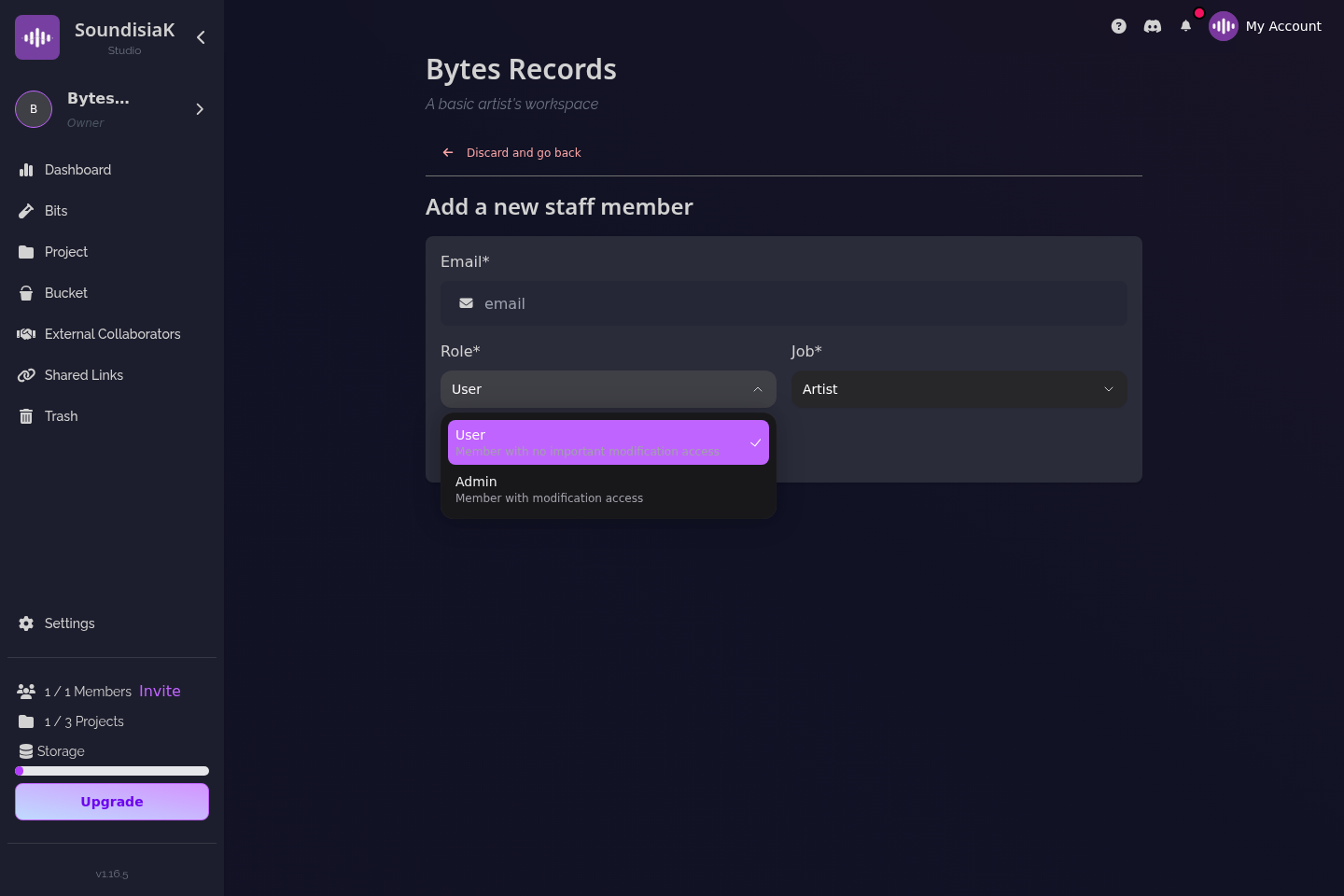
That scoping is what makes it safe to work with people outside your circle — a featured artist, a hired mixer, a session player — without handing them your catalog. It is also what the difference between a member and a collaborator comes down to in practice.
For how long: links that end by themselves
A link should not outlive its purpose. The demo you send to a label for consideration has a purpose measured in weeks; the rough mix you send a bandmate, in days. SoundisiaK Studio's Shareable Links carry an optional expiry date and an optional password, and any link can be revoked at any moment — the URL simply stops working, even for someone who saved it.
Recipients need no account. They open the link, listen, and if you allowed it, download. That is the right tool for the people who will never be in your workspace: managers, A&R, sync supervisors, a journalist, a client.
What: listening is not downloading
Encryption at rest and in transit (your files sit on AWS, in the us-east-1 region, encrypted both ways) protects the file from the outside. It does nothing against the person you gave the file to. The protection there is to not give the file at all when listening is enough.
Everything in SoundisiaK Studio streams lossless — FLAC and WAV, not a degraded preview — so "just listen" is a serious option even for a mix decision. A shareable link can be listen-only. A collaborator working on a track can download the versions they need, and the DAW session next to them, because that is their job.
How you would know: counters, not guesswork
Every shareable link reports views, plays and completions. It will not tell you who the human was, but it tells you whether the link was opened at all, whether anyone listened past the first ten seconds, and whether a link you sent to one person was played forty times. That last pattern is the forwarded-link signature, and the answer to it is one click: revoke.
The version problem is a security problem too
There is a quieter kind of leak: the wrong version. The label masters the mix that was not final; the featured artist records over a bounce from two weeks ago; three people hold three "finals". Nothing was stolen, and the release is still wrong.
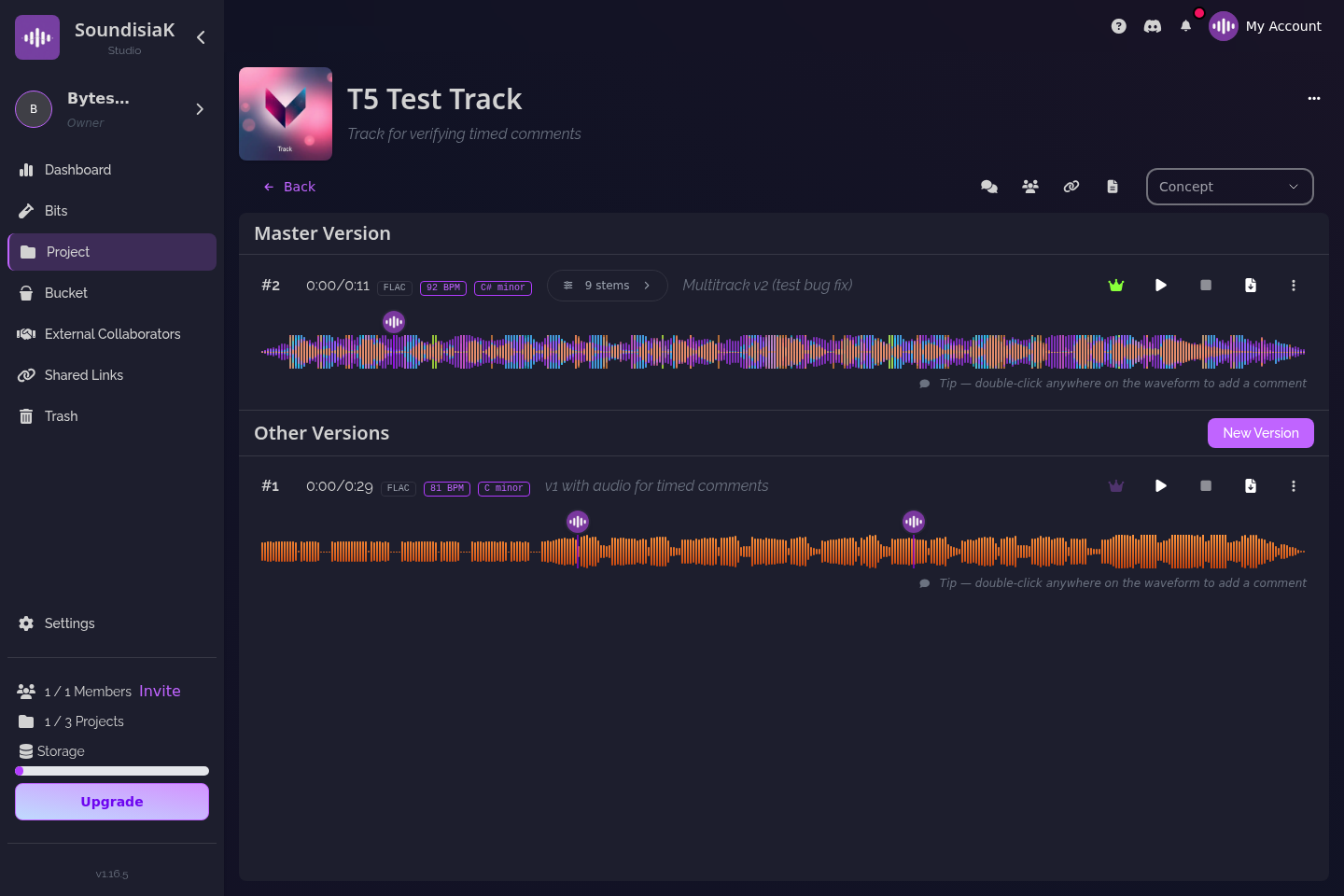
That is why sharing and versioning cannot be separate tools. In SoundisiaK Studio every upload is a numbered, dated version, and exactly one version per track is marked as the main one — so a link or a collaborator invitation points to a version, not to "the file", and everyone can see which one is current. If you want the mechanics, read the role of version control in music production and how to manage multiple versions of a track.
A sharing checklist for unreleased music
Before you send anything, decide:
- Does this person need to work on the track, or hear it? Work → invite them as a collaborator on that track. Hear → create a shareable link.
- Which version? Make sure the main version is the one you mean; a link to the wrong "final" is the most common mistake.
- Listen or download? Default to listen-only for anyone outside the production.
- Until when? Set an expiry that matches the purpose; you can always extend.
- Password? Yes for a master or an unreleased single going to someone you do not know personally.
- Afterwards: glance at the counters. Many plays on a one-person link is your cue to revoke.
Keep the folder-of-everything out of the loop entirely. If you are weighing SoundisiaK Studio against a general cloud drive, cloud storage for musicians goes through where generic storage fails a music session, and sharing work-in-progress music for feedback covers the feedback side of the same links.
FAQ
Does my collaborator need a SoundisiaK Studio account? To work on a track, yes — a free account, created in under a minute, no credit card. To simply listen, no: a shareable link works for anyone, with an optional password and expiry date.
Can I stop someone from downloading my music? Yes. A shareable link can be listen-only: the recipient streams the track losslessly in the browser without receiving a file. Collaborators on a track can download, because they need the files to work.
Can I see who opened a link? You see how many times a link was viewed, played and played to the end. You do not see identities. If the numbers do not match the one person you sent it to, revoke the link.
Where are my files stored, and are they encrypted? On AWS infrastructure in the US (us-east-1), encrypted at rest and in transit, with high availability and redundancy.
Share the mix, not the folder. Start free on SoundisiaK Studio →