The Role of Version Control in Music Production
Open the folder of any song that took more than a week and you will find it: mix_v3.wav, mix_v3_FINAL.wav, mix_v3_FINAL_louder.wav, MASTER_use_this_one.wav. Software developers solved exactly this problem decades ago and called the solution version control. Music production has the same problem with worse file names — and a few twists of its own.
This article explains what version control means once you take it out of the programmer's world and into a session, what a "version" actually is in SoundisiaK Studio, and what changes in a production when every bounce is on the record.
What version control borrows from software
Three ideas, and all three transfer:
- Nothing is ever overwritten. Every change produces a new, numbered entry; the old one stays.
- There is always one current version. Not "the newest" — the one the group has agreed is the real one. Those are not always the same.
- The history is readable. Each entry says what changed and when, so you can go back to the exact point where it still sounded right.
What does not transfer is the mechanics. Software version control compares text line by line. Audio is binary: the "diff" between two mixes is something you can only hear. So a music version is not a patch, it is a complete artifact — a bounce, a set of stems, a master — and the history is a listening history. If you want the longer definition, what is version control for music? covers it from scratch.
Where music is different
The source and the output are two different files. In software you version the source and build the output. In music the DAW session (the Logic, Ableton, Pro Tools or FL Studio project) is the source, and the bounce is the output — and people usually exchange the output while the source stays on one laptop. A version worth the name holds both: the audio you can listen to and the session that produced it, so a mixer can pick up exactly where the producer stopped. That is the subject of DAW project sharing that actually works.
A version can be several files. A mix is one file; its stems are several. Reviewing a version often means hearing the vocal alone, or the drums and bass without the rest. Version control for music has to understand a multitrack as one version, not as eight unrelated uploads. Stems vs multitracks covers what to exchange and when.
Audio needs processing before it can be reviewed. A lossless file has to be transcoded to stream, analysed for key and BPM, waveform-rendered. That takes time — a nine-stem version can need more than six minutes before it is fully playable — and a good system shows that state honestly instead of pretending the upload is instantly ready.
Anatomy of a version in SoundisiaK Studio
Every upload to a track becomes a version with the following on it:
- An automatic number and date. v1, v2, v3 — assigned by the system, so there is never a second "v3".
- A description you write. What changed: "vocals re-tuned, bass −2 dB at 1:12", "master, −14 LUFS". This is the readable history.
- The audio, in WAV, FLAC, AIFF or MP3, streamed lossless in the browser so a mix decision can be made on what the mix actually sounds like.
- Up to 16 stems as a multitrack, each with its own gain, 3-band EQ and balance for the listener, and a one-click Smart Mix.
- Key and BPM, detected automatically per stem and per mix.
- The DAW workfile, uploaded next to the audio, so the session travels with its bounce.
- Timestamped comments pinned to the exact second of that version's waveform, delivered in real time — "the snare at 0:47" means the snare at 0:47 of v5, not of whatever is current next week.
- A ZIP download of the whole version, audio and workfiles.
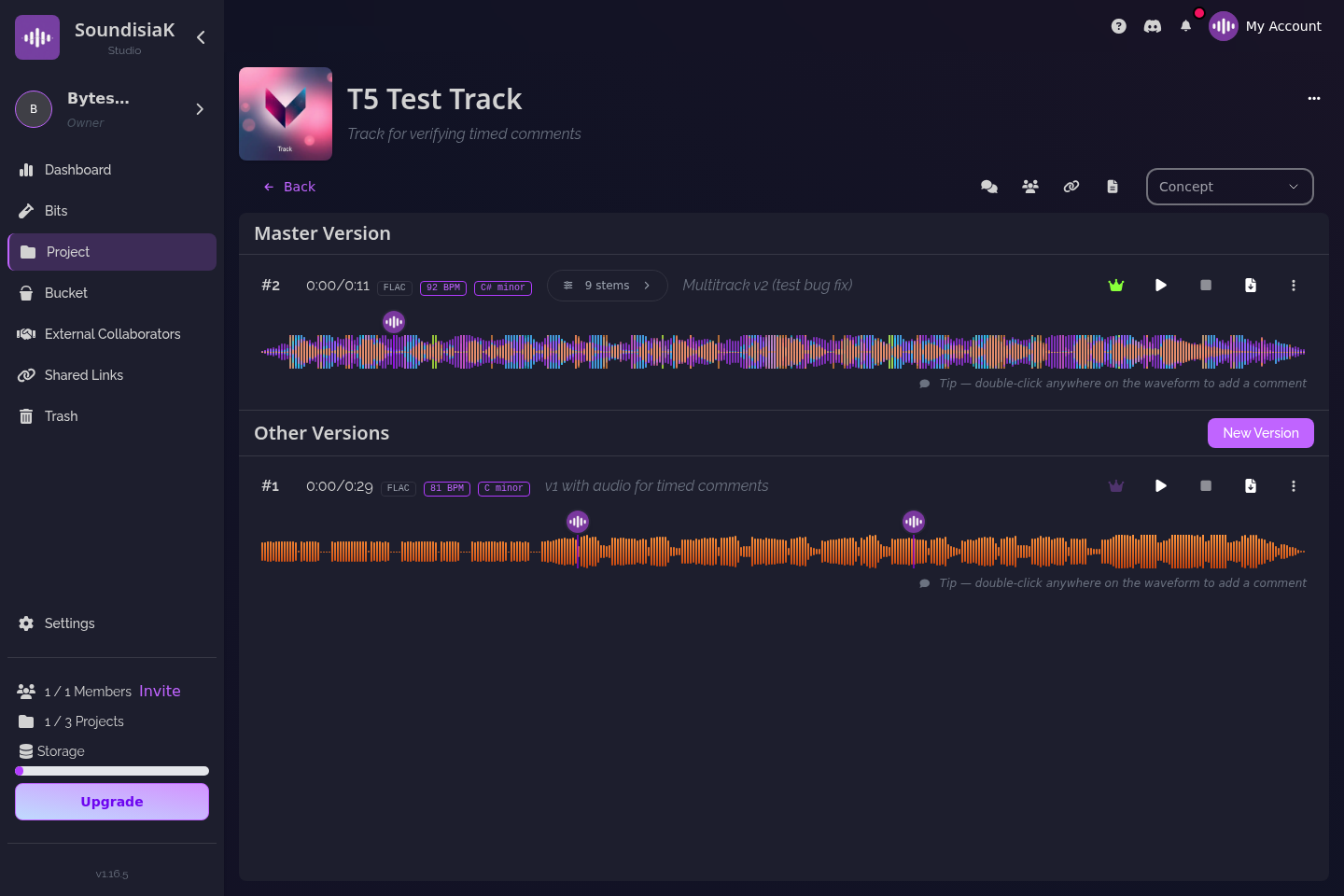
And above the versions, one flag: the main version. Exactly one per track, visible to everyone who can see the track. It is the answer to the question every collaboration eventually asks — which mix is the real one? — and it is a decision you make, not a side-effect of what was uploaded last.
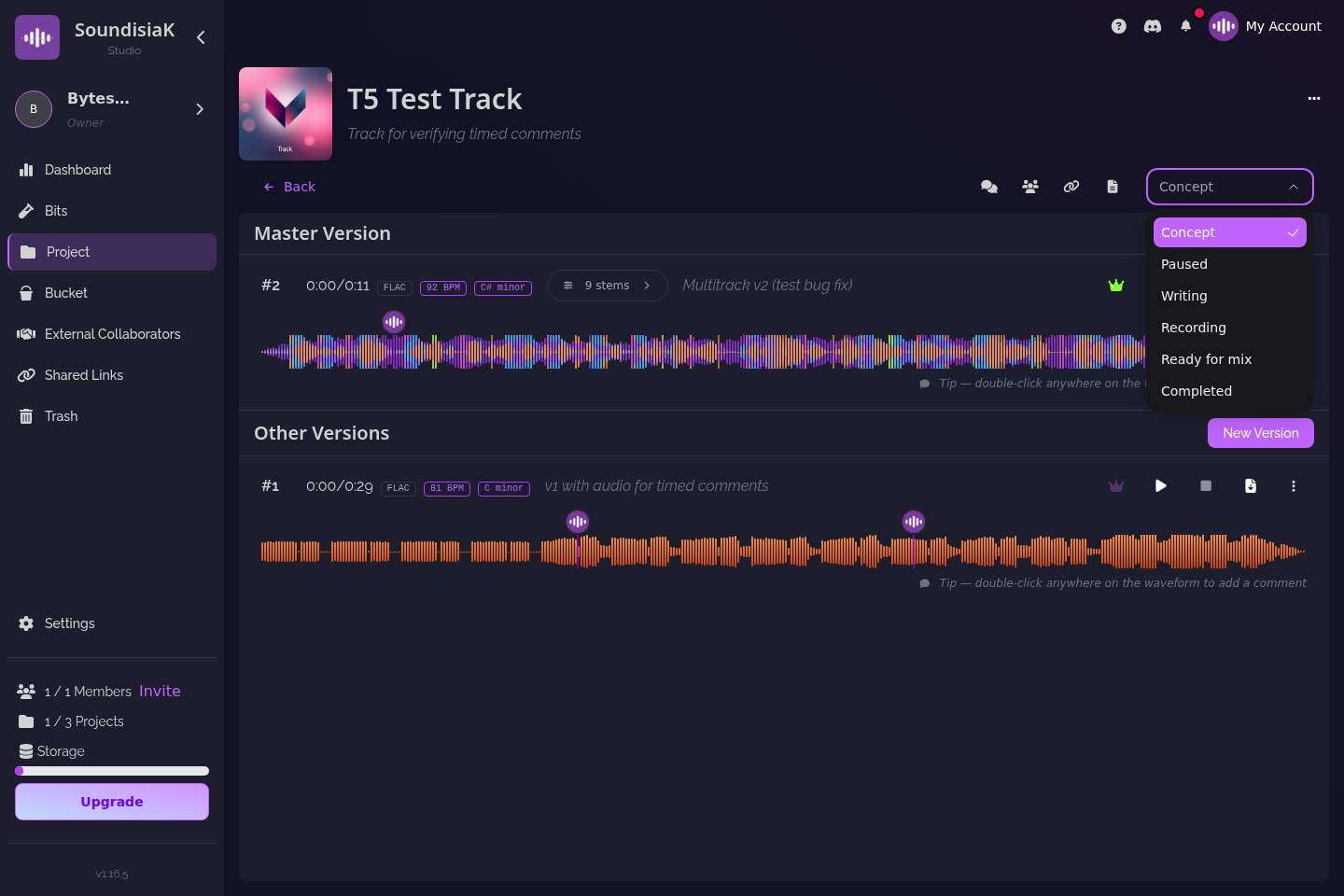
Each track also carries a status — Concept, Writing, Recording, Paused, Ready for Mix, Completed — so a version is read in context: v2 of a track in Writing is a sketch, v2 of a track Ready for Mix is a deliverable.
A worked example: one single, six versions
Say you produce a single with a featured vocalist and an outside mixer. Here is what the track's history looks like when every step is a version:
- v1 — demo. Your rough bounce, status Writing. The vocalist, invited as a collaborator on this one track, comments at 1:05: "key is high for the second verse".
- v2 — demo, key −1. New bounce, your description says why. Status moves to Recording.
- v3 — vocals in. The vocalist uploads her comp as a stem alongside your instrumental: a two-stem multitrack. You solo her channel, write "double the last chorus" at 2:31.
- v4 — pre-mix stems. Nine stems, the Ableton session next to them, status Ready for Mix. The mixer downloads the ZIP and the session.
- v5 — mix 1. The mixer's bounce. You listen losslessly, A/B against v4, and leave three timestamped notes.
- v6 — mix 2. You mark it main. Status Completed. A shareable link to v6 goes to the label — listen-only, with an expiry.
Two months later the label asks for the instrumental. You do not dig through a drive: v4 has the stems, v6 is the reference, and the comment thread explains every choice between them. If the master later turns out too loud, v6 is still there to go back to — nothing was overwritten.
What changes when the history is on the record
- Arguments end faster. "I sent you the right one" is settled by a number.
- Experiments cost nothing. Try the alternate bridge as v7; if it loses, v6 is still main.
- People can work asynchronously. The mixer in another time zone does not need you awake; the version, its description and its comments are the brief. How to collaborate on music remotely builds on this.
- Nothing is lost to a laptop. The sessions are with the audio, and a deleted track sits in the trash, recoverable.
- It does not cost storage discipline. Projects, tracks and versions are unlimited on every plan — the Free plan included; storage is the only thing that grows.
Where a general-purpose cloud drive stops at "a folder of files", this is the difference — cloud storage for musicians goes through it tool by tool, and how to stop losing takes turns it into daily habits.
FAQ
Is version control for music the same as Git? Same ideas — numbered history, one current version, nothing overwritten — different mechanics. Git compares text; a music version is a complete audio artifact, compared by listening. You do not need to know Git to use it.
Do I have to upload a new version for every small change? No. Upload a version when something is worth coming back to or worth someone else hearing: a bounce you want feedback on, the stems you hand to a mixer, a master. Describe what changed so the history stays readable.
What is the "main version"? The one version per track you have marked as the current reference. It is a deliberate choice, visible to everyone with access to the track, and it is what a shareable link points to by default.
Can I version the DAW session, not only the audio? Yes. Upload the Logic, Ableton, Pro Tools or FL Studio project as a workfile next to the audio of a version; collaborators download the full session with the ZIP.
Which mix is the real one? From now on, the one marked main. Start free on SoundisiaK Studio →