How to Collaborate on Music Remotely
Remote collaboration fails in the same place every time: not in the music, in the handoffs. A bounce goes out by WeTransfer, the reply comes back by text, the session stays on one laptop, and three weeks later nobody can say which mix the featured artist actually sang on. This is a method for running a track with people you do not share a room with — who gets access to what, how work moves between you, and how the history stays readable when everyone is in a different time zone.
Step 1 — decide who sees what, before anyone uploads
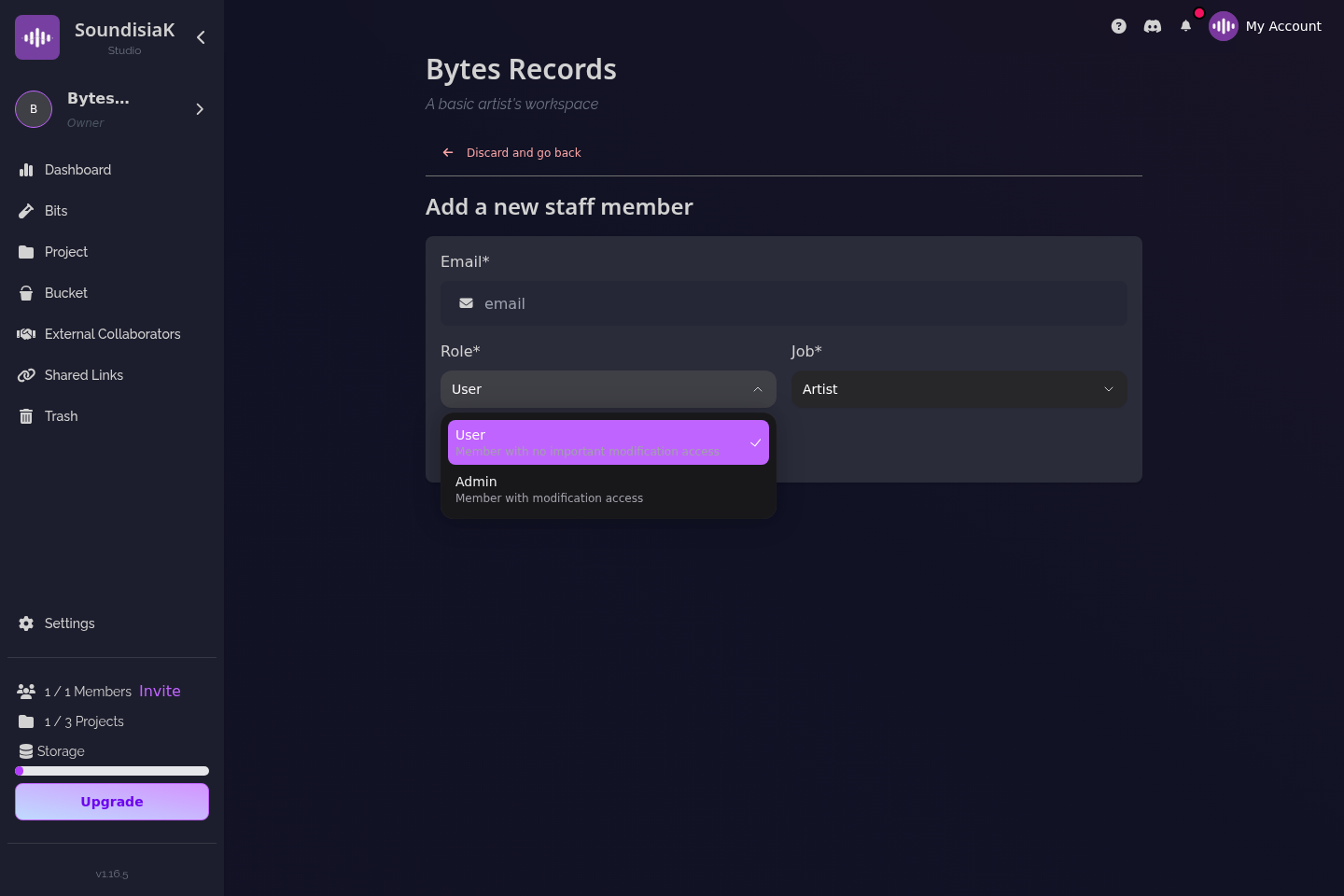
The first question is not "which tool" but "who is who". In SoundisiaK Studio there are four kinds of people on a track, and the access model is the collaboration model:
- Members belong to the workspace — yours alone (a Solo Artist workspace) or the band's (a Group workspace). Each has a role (Owner, Admin, User) and a job (Artist, Producer, Manager, Staff, Other), and sees the workspace's projects and tracks according to the role.
- Collaborators are invited to one track. The vocalist on your single, the mixer on this one song, the featured artist: they see that track — its versions, stems, comments and session — and nothing else in your workspace. Collaborators are unlimited and free on every plan, the Free plan included, and they never count toward your member total.
- Guest artists are credited on the release and have no account access.
- Anyone with a shareable link listens without an account — the manager, the label, a trusted ear.
The practical rule: people who will change the track are collaborators; people who will hear it get a link. Why secure file sharing is essential for musicians goes through the four questions behind that split.
Step 2 — make the version the unit of exchange
Remote work is asynchronous: when the mixer opens the track, you are asleep. So the thing you hand over has to be self-explanatory. In SoundisiaK Studio that thing is a version: automatically numbered and dated, with a description you write ("pre-mix stems, Ableton session attached, vocal is take B"), the audio in lossless WAV/FLAC, up to 16 stems if it is a multitrack, the DAW workfile next to the audio, and the comments pinned to its waveform. One version per track is flagged main — the current reference, chosen on purpose.
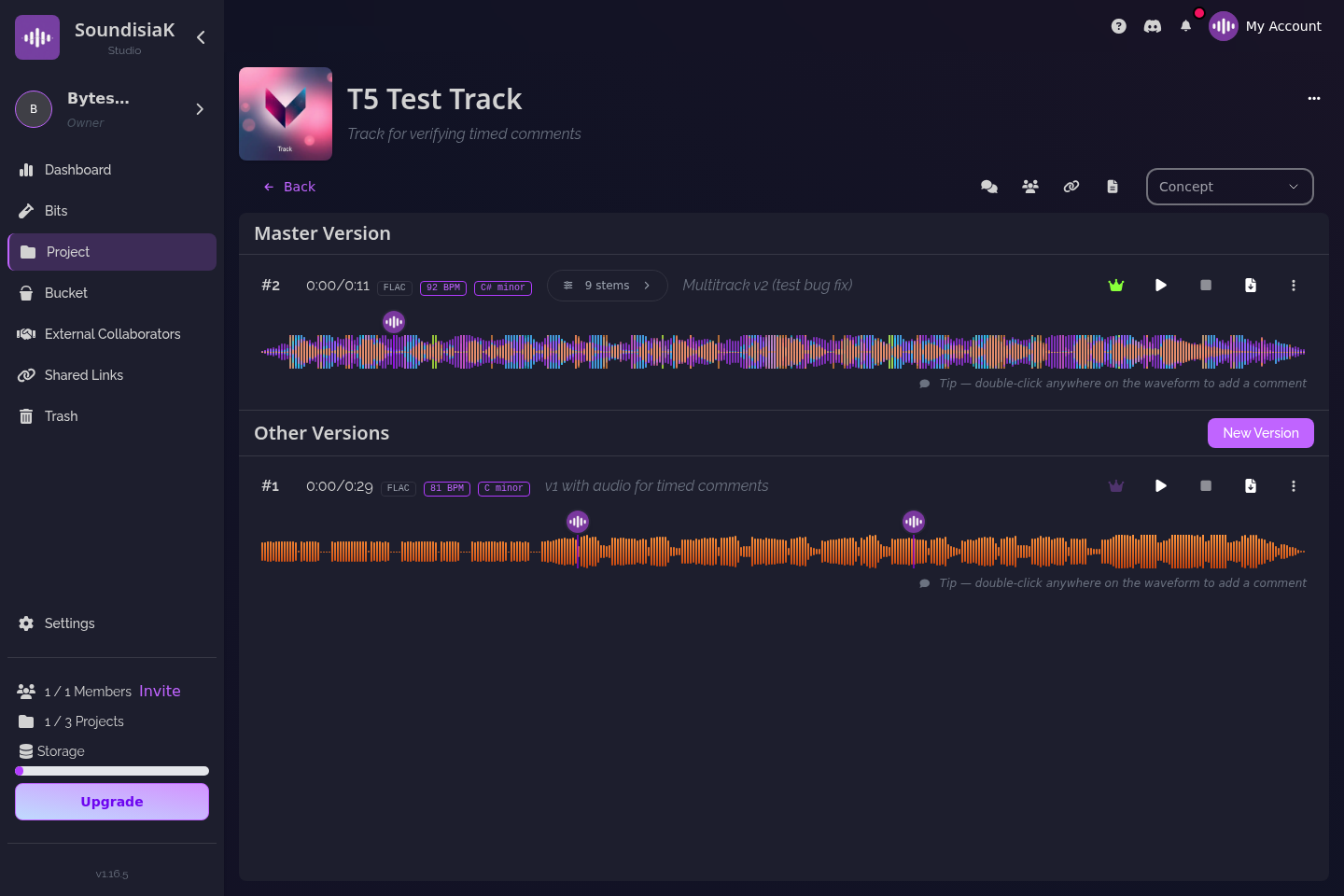
That is the whole brief. The mixer downloads v4's ZIP — stems and session — reads the description and the comments, and uploads v5 with a description of his own. No email needed to explain what the file is. The role of version control in music production explains the model; managing multiple versions is the day-to-day method.
Step 3 — exchange the session, not only the bounce
The most common remote failure is a producer and a mixer exchanging bounces when the mixer needed the session. Upload the Logic, Ableton, Pro Tools or FL Studio project as a workfile on the version it produced, so the person on the other side opens the same session rather than rebuilding it from stems. DAW project sharing that actually works lists what to include so it opens on another machine; stems vs multitracks covers what to send when a session is not the right unit.
Step 4 — put feedback on the second, not in a chat
"The chorus feels crowded" in a chat window is an argument waiting to happen. In SoundisiaK Studio a comment is placed on the waveform at a time, on a specific version, and on a specific stem if the version has stems — and it reaches the other person in real time. "Pad masks the lead from 1:40 to 1:52 on v5" is something a mixer can act on at 3 a.m. without asking a question. The listener hears the version lossless, can solo the vocal, pull the drums down or press Smart Mix, so the feedback is about the music and not about their speakers. Sharing work-in-progress music for feedback turns this into a six-step routine.

Step 5 — let the status answer "where are we?"
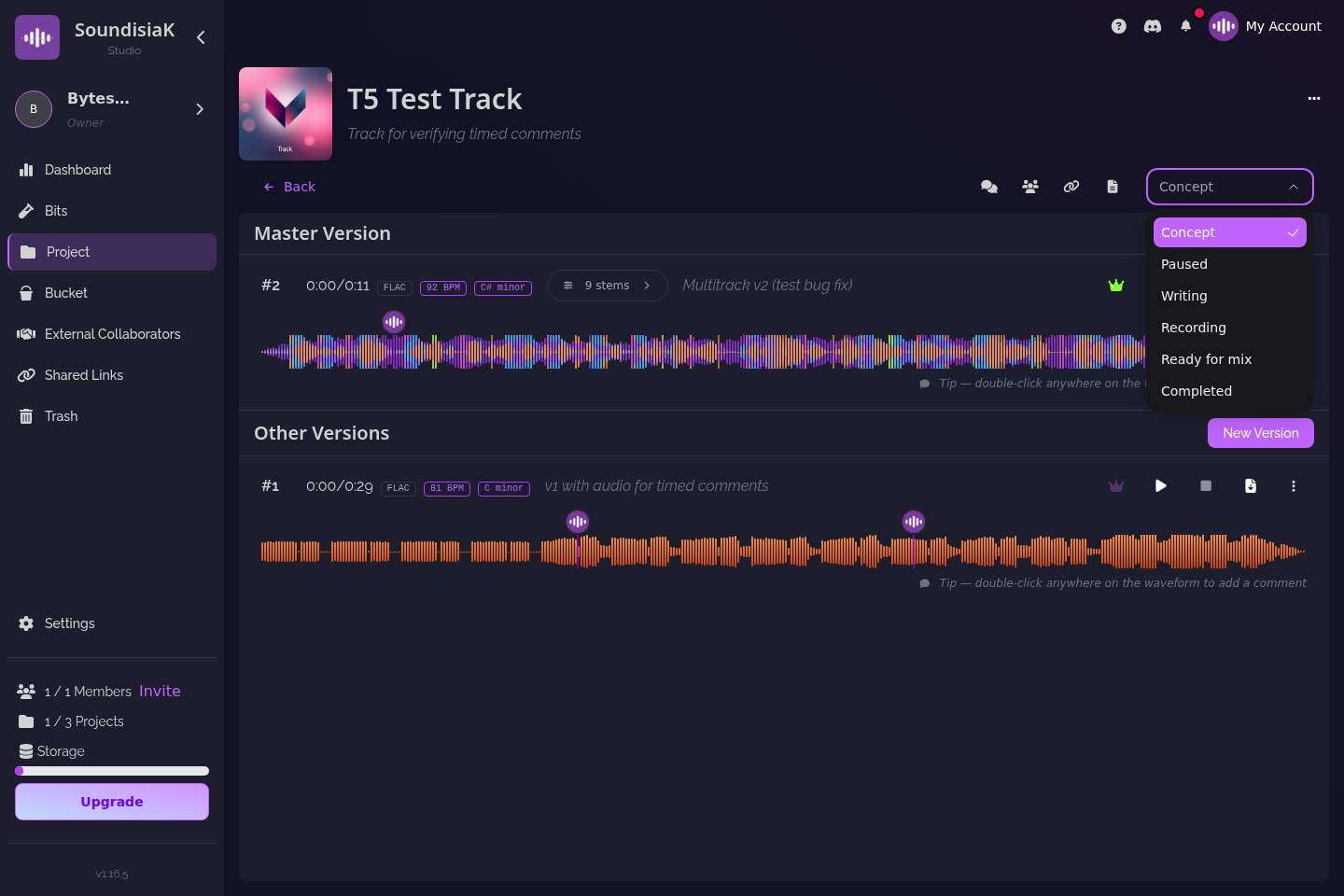
Across time zones the question "where are we on this track?" is asked more than any other. Each track in SoundisiaK Studio carries a status — Concept, Writing, Recording, Paused, Ready for Mix, Completed — and the project view shows every track's status at a glance; the activity feed shows what changed since you last looked. Move the status when the phase changes, and the question answers itself: a track in Ready for Mix with a v4 uploaded yesterday is waiting on the mixer, and everyone can see it.
Step 6 — a few habits that make asynchronous work pleasant
- One version per handoff. Do not upload three bounces in a row; pick one, describe it, hand it over.
- Describe the change, not the file. "vocals re-tuned, bass −2 dB at 1:12" ages well; "new mix" does not.
- Ask one question per comment, at the second it concerns. People answer the question in front of them.
- Move the main flag when a decision is made, never when a file arrives. The newest upload is not automatically the reference.
- Give externals a link, not a file. Listen-only, with an expiry. Watch the view/play/completion counters instead of asking "did you listen?".
- Capture ideas where the track lives. A melody or a lyric idea goes into Bits, the scratchpad, and becomes a track when it is ready — not into a voice memo nobody finds again.
What it looks like end to end
Say a two-piece band in different cities writes a single with a producer in a third one. The band's Group workspace has three members. The producer is invited as a collaborator on the one track. The singer uploads v1, a phone demo, status Writing; the producer comments at 0:35 "let's start on the pre-chorus", uploads v2 — a proper arrangement with the Ableton session attached — and the status moves to Recording. Vocals come back as stems in v3; the producer solos them, writes two timestamped notes, and uploads v4 with nine stems and the session, status Ready for Mix. The mixer, a second collaborator, downloads v4's ZIP, uploads v5; the band A/Bs v4 and v5 losslessly, marks v5 main, status Completed, and sends a listen-only link to the label with a two-week expiry. Every decision is in the version descriptions and the comments; nobody searched an inbox, and the label never held a file.
If you are still choosing the tool for this, how to choose a music collaboration platform sets out the criteria and the best music collaboration platforms compares the field.
FAQ
What is the difference between a member and a collaborator? A member belongs to your workspace and sees its projects and tracks according to their role (Owner, Admin, User); members are what your plan counts. A collaborator is invited to a single track and sees only that track; collaborators are unlimited and free on every plan.
Do my collaborators need to use the same DAW as me? No. Upload your DAW session as a workfile next to the audio; a collaborator on the same DAW opens it, a collaborator on a different one works from the stems. Both are on the version.
How do we know which version is the current one? Exactly one version per track is marked as the main version, visible to everyone on the track. It is a decision you make, not whichever file was uploaded last.
Does remote collaboration cost more as the crew grows? Billing is per workspace, not per seat: Crew ($12/month) covers five members and Studio ($39) covers ten; an extra member is $6. Collaborators invited to single tracks are unlimited and free, on every plan.
Same track, different cities, one answer to "which mix?". Start free on SoundisiaK Studio →