SoundisiaK Studio: the Soundtrap alternative when you've outgrown the browser DAW
If you're weighing a Soundtrap alternative, you probably know exactly what Soundtrap is: Spotify's online studio, a DAW that runs in the browser where several people can record and edit the same project together — hugely popular in classrooms and for quick collaborative sketches. SoundisiaK Studio solves the same underlying problem — making music together, remotely — from the other direction: you keep your real desktop DAW, and SoundisiaK becomes the shared home for the sessions, versions, feedback and workflow around it.
This page is honest about where Soundtrap is the right tool. If a browser DAW covers your production needs — or you're teaching a class — Soundtrap is genuinely good at what it does. If your productions live in Logic, Ableton, Pro Tools or FL Studio and the browser editor has become the bottleneck, keep reading.
Soundtrap vs SoundisiaK at a glance
| Capability | Soundtrap | SoundisiaK Studio |
|---|---|---|
| Record & edit in the browser | ✅ built-in DAW | ❌ works with your DAW instead |
| Simultaneous editing of one project | ✅ | ➖ asynchronous, versioned collaboration |
| Works with desktop DAW sessions | ➖ import/export audio | ✅ upload the actual workfiles |
| Version control (numbered, labeled, restorable) | ➖ | ✅ |
| Timestamped feedback per stem | ➖ comments | ✅ |
| Per-track roles for collaborators | ➖ project invites | ✅ |
| Production statuses (Concept → Completed) | ❌ | ✅ |
| Lossless FLAC/WAV streaming for review | ➖ | ✅ |
| Education tier / classroom management | ✅ | ❌ |
| Free plan | ✅ | ✅ |
| Best for | recording together in the browser, education | teams producing in their own DAWs |
What Soundtrap does well
Credit where it's due:
- Zero-friction collaborative recording. A shared project in the browser, on any device, with your collaborator editing alongside you — no installs, no file transfers.
- Education, seriously done. Classroom management and privacy controls make it a standard in schools.
- A gentle on-ramp. Loops, presets and a simple editor make the first song easy.
Soundtrap is the right pick if the browser DAW is your studio, you jam on shared projects in real time, or you're running a classroom. That's its home turf.
Where SoundisiaK Studio is the better fit
Professional productions rarely stay in a browser editor. Once each collaborator works in their own DAW, the problem changes: it's no longer "edit together", it's "stay in sync" — versions, stems, sessions, feedback, status. That's the problem SoundisiaK is built for.
1. Keep your DAW, share the actual session. Upload the Logic or Ableton workfile next to the bounces; your co-producer downloads it and picks up exactly where you left off. Not sure what to exchange? See stems vs multitracks.
2. Version control instead of overwriting. Simultaneous editing is great until someone's take disappears. Every SoundisiaK upload is numbered, labeled and restorable — real version control for music, so no take gets lost.
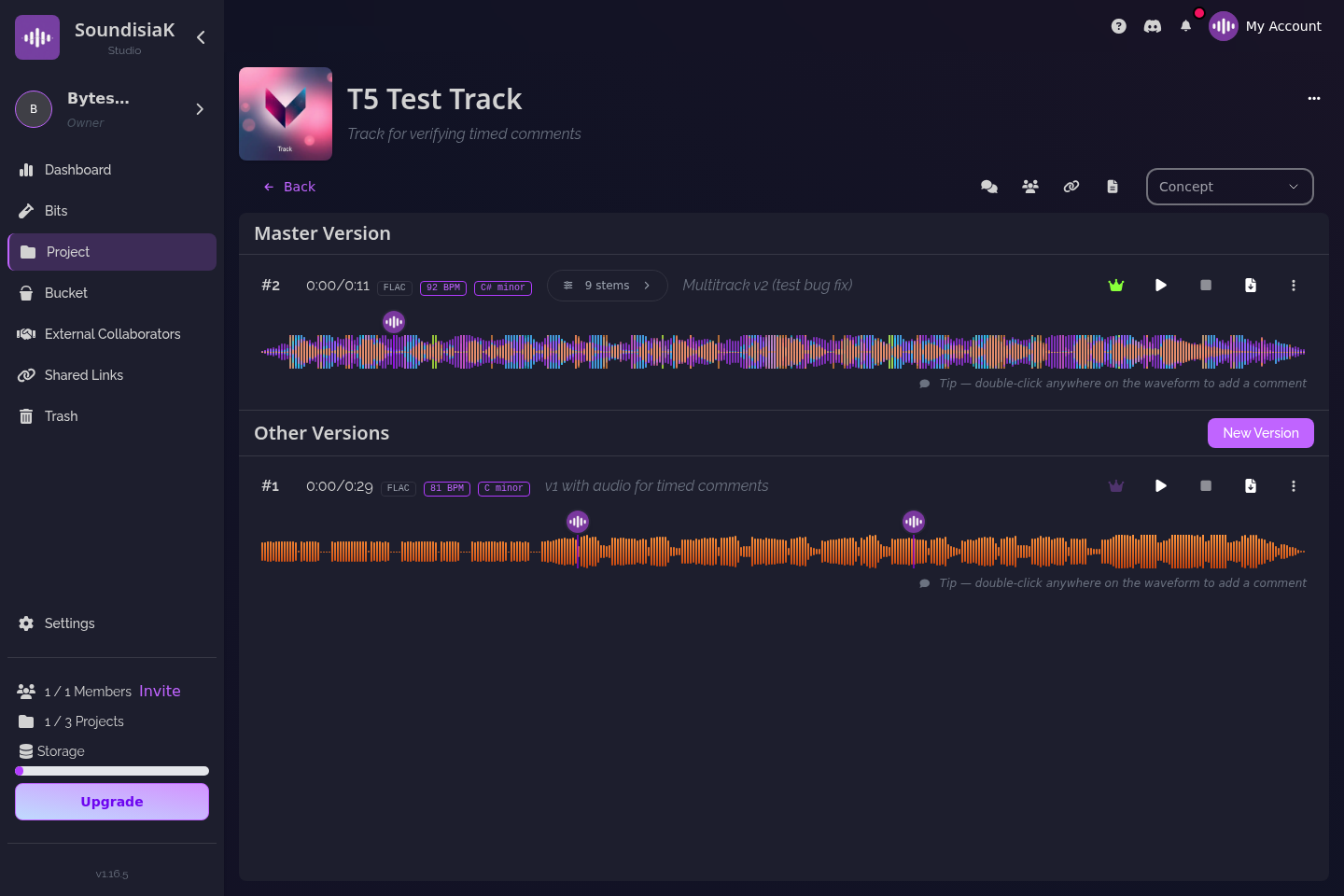
3. Feedback with a timestamp, on the right stem. "The vocal at 1:12" beats a comment thread — timestamped notes land on the waveform, per stem or per mix.

4. Studio-grade review. Lossless FLAC/WAV streaming means mix decisions are made on what the mix actually sounds like — not a compressed preview.
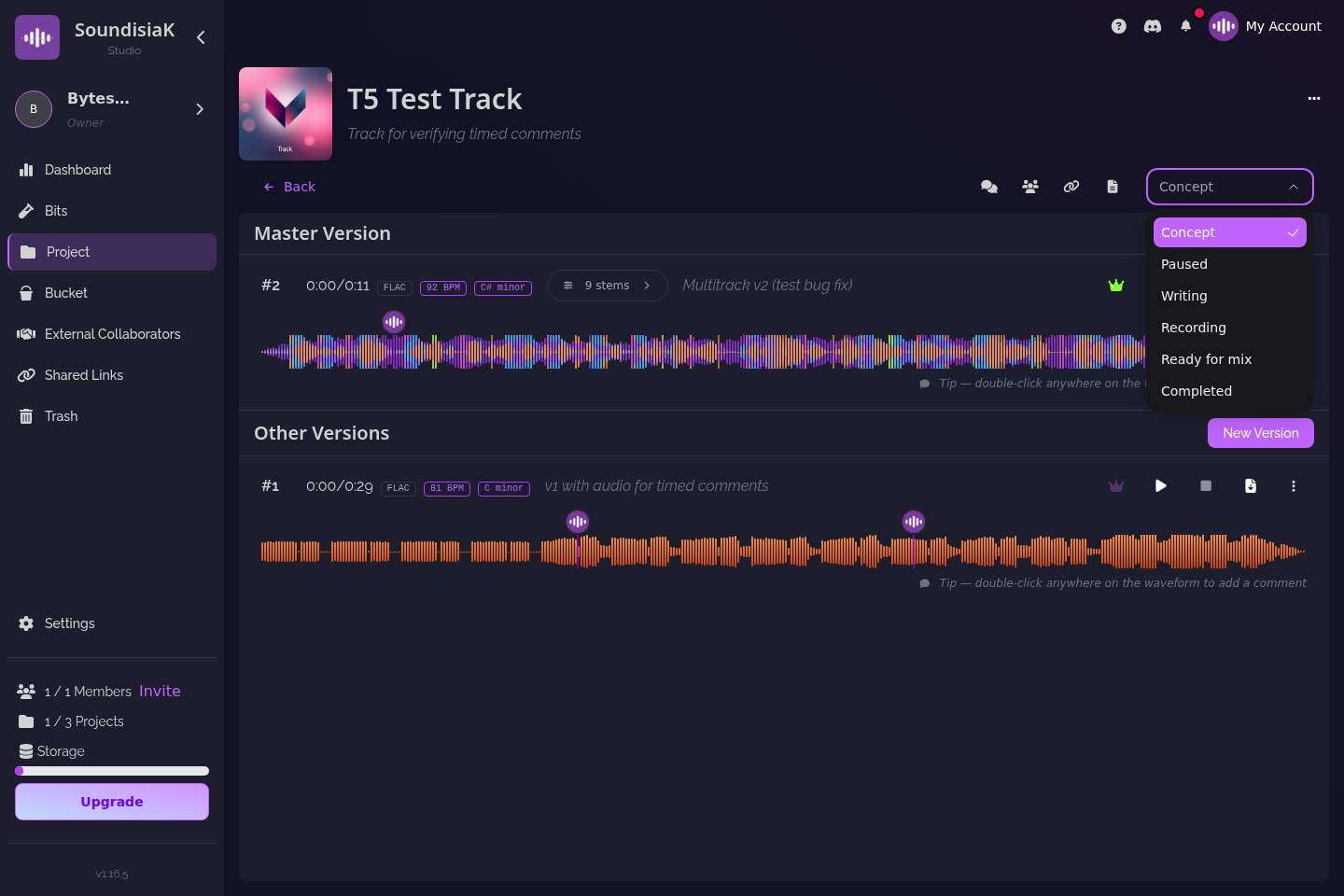
5. A team, with roles and a pipeline. Invite a vocalist to one track, a mixer to another, inside a secure private workspace — and watch each track move from Concept to Completed.
Who SoundisiaK Studio is for
- Artists who started on Soundtrap and moved their production into a desktop DAW.
- Remote bands, producers and mixers collaborating asynchronously across time zones.
- Independent labels that need visibility on every track's status across artists.
Comparing the whole category? Start with the best music collaboration platforms and how to choose one.
FAQ
Is SoundisiaK Studio an online DAW like Soundtrap? No. SoundisiaK doesn't record or edit audio in the browser. It's the collaboration layer around your desktop DAW: version control, workfile and stem sharing, timestamped feedback, and workflow tracking.
Can two people edit the same project at the same time? Not simultaneously, by design. SoundisiaK collaboration is asynchronous and versioned: each contributor uploads a new numbered version, nothing gets overwritten, and the whole history stays restorable.
Can I move from Soundtrap to SoundisiaK Studio? Yes. Export your tracks or stems from Soundtrap, upload them into a SoundisiaK project, and invite your team. New work continues in whatever DAW each collaborator prefers.
How much does SoundisiaK Studio cost? The Free plan costs nothing, forever (10 GB of encrypted storage, one member, unlimited projects, tracks and versions, no credit card). Crew is $12 per workspace per month (100 GB, 5 members) and Studio is $39 per workspace per month (500 GB, 10 members); Label is custom pricing for larger teams.
Ready to collaborate in your own DAW, without the chaos? Start free on SoundisiaK Studio →